Employees can use Microsoft Teams in variety of ways—from calling colleagues to sharing files to managing calendars.
In addition to its everyday use cases, you can build end-to-end automations around Teams that can fundamentally change how your organization operates. This simply involves an enterprise chatbot (namely, Workbot for Teams) that can communicate between Teams and the apps your employees rely on.
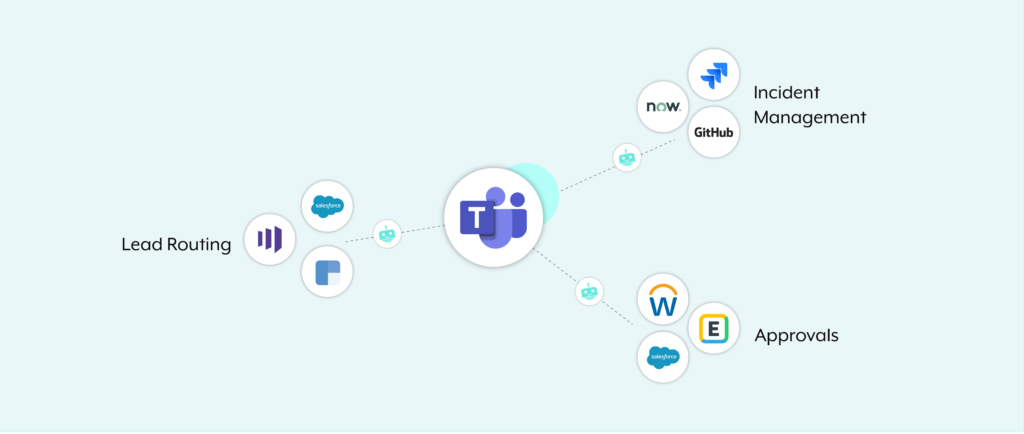
To give you an idea of the automations you can build with Teams as well as how they can work, we’ll review 3 common examples:
- Incident management
- Lead routing
- Employee approvals
Related: 3 Teams integrations that can help your employees thrive
1. Streamline Incident Management to Prevent Customer Churn
Incidents, like a product bug or an inaccurate invoice, are bound to happen every so often. When they do, it’s critical that you resolve them quickly—both for the customers sake and for your business.
You can identify and address any incident quickly and effectively by turning to automation. Here’s how it can work using Teams:
1. Once an issue is identified, an employee can create a ticket in a platform like ServiceNow or GitHub from Teams.
2. Once the ticket is created, the chatbot will notify the appropriate employee of the ticket via Teams—where they can review it.
3. The employee can edit (and even escalate) the ticket over time within Teams—all the way through its resolution.
Related: Examples of an automated incident management process
2. Automate Lead Routing to Convert More Leads
Like incidents, your team needs to respond to inbound leads quickly and thoughtfully. Case in point: delaying your response time from 5 to 10 minutes decreases your odds of qualifying a lead by 400%.
To help your organization respond within 5 minutes (which, according to our research, only 1% of organizations manage to do successfully), you can automate your lead-routing workflow with the following automation.
1. Once a new lead comes in, an enterprise chatbot routes it to the appropriate sales rep in Teams (who they route the lead to can depend on factors like location and the rep’s ability to take on new leads).
2. The chatbot shares the lead along with information sourced from a CRM like Salesforce, an enrichment tool like Clearbit, etc.
3. The sales rep can choose to accept, reject, or further investigate the lead within Teams.

Fast-Track Approvals to Delight Employees
Whether your employees want to take time off or submit an expense, it’s critical that their request receives a response as soon as possible.
Using the following Teams automation, the process is not only quick and easy for the requestor, but also for the colleague tasked with approving it.
1. An employee can submit their request in Teams.
2. The chatbot messages their manager, alerting them of the request.
3. The manager can then review the request in Teams. For example, in the case of a PTO request, the manager can confirm whether the requestor can take those days off by reviewing their PTO balance in the HRIS (e.g. Workday) from Teams.
4. Once the manager accepts or declines the request in Teams, the requestor gets notified in the business communications platform, and the relevant app (like the HRIS for a PTO request) gets updated in real time.
Ready to start building automations around Teams? Learn how your organization can make use of Workbot for Teams by scheduling a demo with one of our automation experts!