According to a study by JumpCloud, roughly 2 out of every 3 employees in IT feel overwhelmed when it comes to managing the remote work environment.
While there’s no easy way to take the work off their backs, an IT chatbot can streamline a large share of their tasks and make their interactions with stakeholders much easier. We’ll share how this can play out by introducing you to a few kinds of IT chatbots. But first, let’s review what an IT chatbot is.
Keep employees in your business comms platform with Workbot
Learn about the custom apps you can build in Slack or Microsoft Teams with Workbot.
What is an IT chatbot?
It’s a type of chatbot that allows employees to access the data and functionality from their applications without leaving their business communications platform, whether that’s Slack or Microsoft Teams. Moreover, these chatbots are easily customizable and can be used in your automations in a variety of ways.
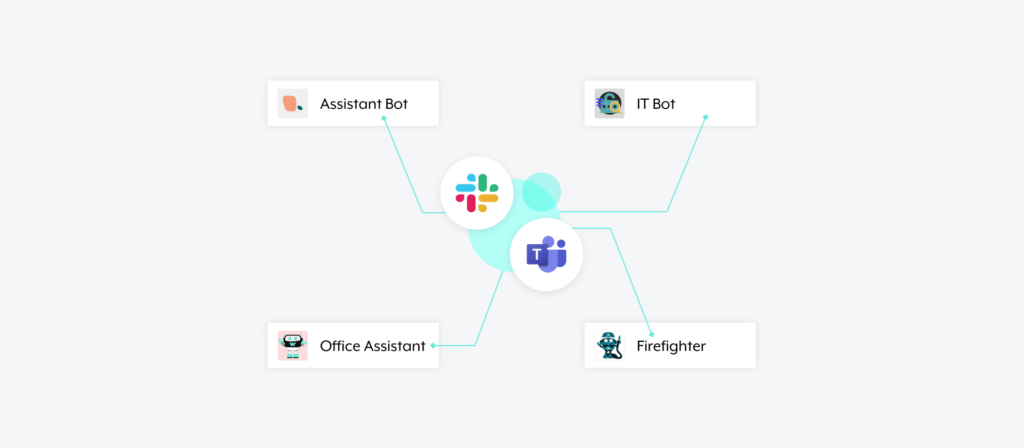
1. Assistant Bot empowers employees to procure the equipment they need
As the majority of employees continue to work from home at least some days out of the week, they’ll need an easy and effective way to procure home office equipment over time.
Assistant Bot can help them do just that. Here’s how:
On the homepage of Assistant Bot, an employee clicks on “Equipment Provisioning.” The bot then asks the employee to select the equipment they need (the employee can choose from a pre-configured drop down), and once their selection gets made, a ticket is created in an application like ServiceNow.
The employee can click on “Request Approvals” once they’ve finished making their equipment selections, prompting the bot to share the request in a specific channel that includes the approver(s); a member of that channel can go on to review the ticket (included in the bot’s message) and approve or reject the request with the click of a button.
Related: A guide to service desk chatbots
2. IT Bot provides an easy means for employees to get answers
IT faces certain questions all too often, from “What’s the wifi password?” to “How can I connect to the printer?” to “How can I request a new laptop?”
You can help employees find the answers to these questions themselves while keeping IT focused on more meaningful work with IT Bot.
Here’s how the bot can help:
Through the bot, an employee clicks “Search Zendesk Article.” A modal then appears, allowing the employee to type in their question and the category it would fall under. Once the employee hits “Apply Filters,” the bot combs through Zendesk and returns the most relevant articles—all in real-time. The employee can not only view the articles but also post them to a specific channel in your business communications platform, allowing others to also get the information they need.
Related: The top benefits of using an internal chatbot
3. Firefighter lets employees request access to applications
“Firefighter” is a favorite among employees here at Workato.
On the homepage, employees have a variety of actions they can take, from requesting access to an application to creating a ticket for the business technology (BT) team. The bot even offers an unexpected moment of delight by presenting a silly image of characters from Despicable Me at the top.

Any of the actions shown above are fairly intuitive for the employee to take. For example, if an employee were to click “Request for Apps,” they’d see the following modal:

Once submitted, the assigned approver (typically the beneficiary’s manager) can review the request and decide whether to approve or reject it. If accepted, Firefighter goes on to notify the BT team of the approver’s decision, allowing a member of that team to carry out the provisioning quickly thereafter.
Related: What is an HR chatbot? These 7 examples help illustrate how they can work
4. Office Assistant allows employees to schedule visits to the office
Another internal favorite, Office Assistant allows Workato’s employees to perform a variety of tasks related to visiting an office.
This includes following specific employees to keep tabs on when they’re (and aren’t) coming into a given office; uploading required documentation, like a COVID-19 Vaccination Card; sharing that you’ve tested positive for COVID-19 (Office Assistant will then perform contact tracing); and reserving your office visit, which involves selecting the day you plan to come in and the desk you’ll work from.

The benefits from using Office Assistant are plentiful: Employees feel more comfortable coming into the office; team members are more likely to come in on the same days; an employee is guaranteed a workstation during their visit; HR can easily coordinate office visits and perform contact tracing at scale, etc.
Built any IT chatbot without writing a line of code
Workbot lets you build custom applications in Slack or Microsoft Teams quickly and easily. You can learn more by scheduling a demo with one of our automation experts.