

wk 1.1.0 standardizes JSON output for several commands, adds MCP connection setup and Agent Studio support, and fixes a handful of workflow problems. This roundup also covers validation changes in recipe-lint, fixes in Recipe Visualizer, and Recipe Skills updates that prevent common agent-generated recipe failures.
We also welcomed two first-time contributors: ToddHayesonX and Floze-the-genius.
wk 1.1.0
Check this breaking change first
Six commands used to return their table display as JSON. That meant a command such as wk diff --json returned uppercase display labels like "STATUS" and shortened hashes under "LOCAL HASH". Other commands already returned structured data, so these six now do too.
Affected commands: wk diff, wk status, wk pull, wk clone, wk auth list, and wk plugins list.
For example, wk diff --json now returns path, type, local_hash, and remote_hash, with the full SHA-256 hash. When there are no differences, it returns [] on standard output rather than an empty string.
If you parse these command outputs in a script, CI job, or agent instruction, update the field names. wk agentic skills --json also has a new shape that matches the API response.
These fields are a stable interface for scripts and agents; table-display labels are not.
Connect an MCP client to Workato AIRO MCP
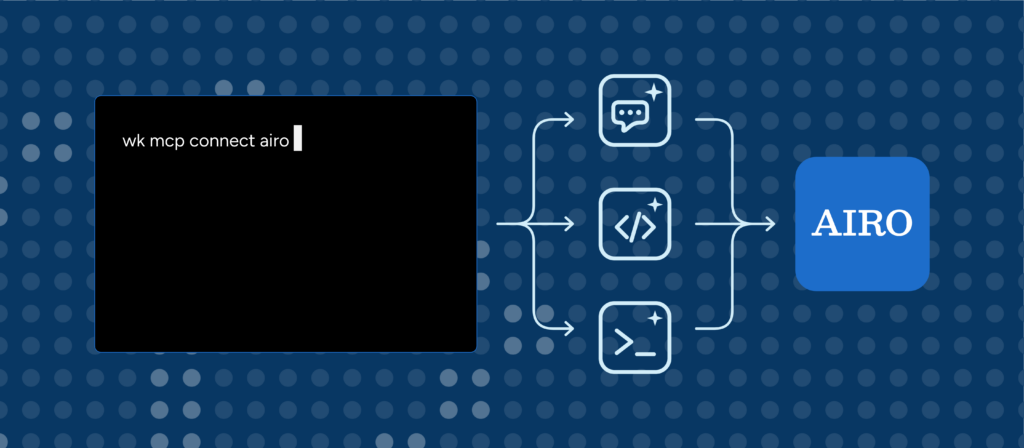
wk mcp connect airo helps configure an MCP client to use Workato AIRO MCP. After setup, wk is not involved in requests, and it does not write credentials into the client configuration.
- Run it without
--clientto print client-neutral connection details: server URL, authentication options, and the workspace to sign in to. Add--jsonfor the same information as structured data. - Use
--client claude-codeor--client codexto install through that client’s own CLI. - Use
--client cursorto print the exactmcp.jsonentry. Cursor’s agent does not read servers from the file created bycursor --add-mcp. - OAuth is the default (
--auth oauth) and stores only the server URL.--auth tokenpasses your API token to the client without copying it into a configuration file.
Token authentication is deliberately opt-in: a token acts as the workspace owner and is not limited by role or project access.
You can also run wk mcp connect <mcps-handle> to configure a managed MCP server.
Two notes before you try OAuth:
- Developer Sandbox (trial) workspaces do not support client registration. For those workspaces,
wkrejects OAuth and points you to--auth token. - If you encounter issues or bugs, please report them to us at the wk CLI Github repo. We welcome your feedback on the functionality.
Use Agent Studio from the command line
wk agentic now supports read operations for genies, knowledge bases, Headless API clients, guardrails, and conversation logs. It also supports creating and updating genies, knowledge bases, and clients.
Agent Studio can sometimes return 200 OK without applying a requested change. For example, it can silently ignore an unknown knowledge-base ID, and deleting a knowledge base can affect running genies that depend on it.
wk verifies the result instead of trusting the status code. It reads assignments before and after an operation and reports each ID as assigned, already_assigned, removed, not_assigned, not_found, or not_applied. Deleting an in-use knowledge base or an attached client requires --force.
Other useful changes
--rawprints the API response body exactly as received.--jsonreturnswk’s structured output, which includes only fields it models.- API errors now include Workato’s
reason. For example,missing_privilegeon a401means the token is valid but the client role lacks a permission. wk connectors listnow includes custom SDK connectors in your workspace.wk diffno longer reports every JSON file as modified immediately afterwk pull.wk auth logincan now handle a second workspace with the same display name, and it no longer leaves an empty profile behind if the keychain write fails.
wk 1.0.1 through 1.0.3
- 1.0.3:
wk recipes startreports step-level activation errors immediately instead of waiting for a timeout.wk recipes delete,update, andmoveno longer alter local state when the server rejects the request.wk folders updatecan rename and reparent folders and projects.wk recipes jobs getincludes per-step input, output, and error details. - 1.0.2:
wk plugins installworks on Windows whenwkis installed through Scoop.
recipe-lint 1.1.0 and 1.2.0
Know what was—and wasn’t—validated
recipe-lint 1.2.0 adds ACTION_NAME_UNVERIFIED. Previously, ACTION_NAME_VALID only ran for providers with a connector lint-rules.json. A clean result could therefore mean either “the action names are valid” or “this provider was never checked.”
The new rule emits one info diagnostic for each provider that was not validated. You will likely see it on many recipes for now, since platform connectors such as logger and workato_recipe_function do not have Skills rules yet.
Set the rule to "error" in .wklintrc.json to fail CI when a connector is unverified, or set it to "off" to hide these messages.
Loops now lint correctly
The control-flow graph previously dropped foreach and repeat blocks. That could trigger false DP_LINE_RESOLVES and DP_STEP_REACHABLE errors in recipes with loops. Those blocks are now handled correctly. If you disabled either rule to work around this issue, you can re-enable it.
recipe-lint 1.1.0 also includes trigger filter conditions in datapill checks. Its JSON output is unchanged.
Recipe Visualizer 1.1.0
Recipe Visualizer 1.1.0 fixes two issues:
repeat whilenow renders as a loop container instead of an “Unknown keyword” error node.call_recipe_asyncand othercall_recipe*actions now support drill-down.
If you pull a recipe on its own with wk recipes pull <id>, the visualizer can also drill into a recipe called by bare ID by looking up that recipe’s name in your workspace.
Recipe Skills: easier installation and more reliable templates
Recipe Skills now installs as a plugin for Claude Code and Codex. Install it once to make the base workato-recipes skill and all connector skills available in every project. A Cursor plugin is pending marketplace publication.
The content updates address cases where an agent could generate a recipe that looked plausible but failed in practice:
- Scheduler trigger documentation
- A requirement for
control_typeon every schema field - Correct
return_responseschemas: fields that a block does not populate need"optional": true. Without it, a recipe can lint cleanly but fail activation. The API endpoint template now activates. - Correct
ifcondition operand examples - Documentation that nested arrays of primitives are stringified rather than iterated
Upgrade now
| Tool | macOS / Linux | Windows |
|---|---|---|
wk |
brew upgrade wk |
scoop update wk |
recipe-lint |
brew upgrade recipe-lint |
scoop update recipe-lint |
After upgrading recipe-lint, run:
wk plugins install recipe-lintThat registers the new plugin version with wk. Confirm the installed versions with wk version and wk plugins list; they should show wk 1.1.0 and recipe-lint 1.2.0.
Recipe Visualizer: In VS Code, Cursor, or Windsurf, find Recipe Visualizer by WorkatoLabs in the extension panel and select Update (or Install for a first-time installation). It is also available through Open VSX. To install the 1.1.0 build from a clone of the repository, run this command from the repository root:
code --install-extension src/releases/recipe-visualizer-1.1.0.vsixReplace code with cursor or windsurf as needed.
Recipe Skills:
- In Claude Code, run
/plugin marketplace add workato-devs/recipe-skills, then/plugin install recipe-skills@workato-labs. - In Codex, run
codex plugin marketplace add https://github.com/workato-devs/recipe-skills, install recipe-skills from/plugins, then restart your session. - To update an existing Claude Code installation, run
/plugin marketplace update workato-labs.
If a coding agent uses these tools
- Check
wk versionandwk plugins listbefore relying on a behavior in this post. - Use
--jsonwhen the agent needs structured fields. Use--rawwhen it needs an API field thatwkdoes not model. - Treat
ACTION_NAME_UNVERIFIEDas coverage information, not proof that a recipe is wrong. - Update any agent instructions that parse
wk diff --jsonorwk status --jsonto use the new field names.
What’s next
Please share your feedback and ideas in Labs Discussions.