As more teams build agents, skills, and automations in parallel, the challenge shifts from building to governing. Without a governed way to share what works, organizations end up with duplicated work, inconsistent versions, and no clear picture of what’s running where.
XChange solves that, and it’s now generally available on eligible plans. Here’s how it works, how to use it, and where to get started.
Turn one team’s work into reusable infrastructure

XChange is a private, governed distribution system built directly into Workato. Once an MCP server, agent, API, connector, data table, or workflow is built in one workspace, XChange packages it as a versioned release, routes it through a curator-gated review, and makes it available for any other workspace to install.
It’s built for any team sharing assets at scale. An ISV can push customer-facing integrations to end-users. A platform team can roll out validated assets across the enterprise so no one rebuilds from scratch.
What makes XChange different
Most platforms can give you a catalog of shareable assets. XChange goes further because it’s built on Workato’s multi-tenant architecture, where every workspace is a live, independently running environment. That means you’re not just publishing assets for others to find. You’re distributing and governing them across hundreds or thousands of separate workspaces, with each one keeping its own data, connections, and controls.
And because XChange is native to the platform, there’s no separate tooling to buy or maintain. The same flow covers integrations and agentic assets alike, so one governed system tracks what shipped, where, and on what version. XChange also pairs naturally with Workato’s AI Registry: the Registry is the front door where teams discover and request access to approved AI assets, and XChange is the distribution layer that gets those vetted assets into every workspace that needs them.
2 ways to share assets in 3 simple steps
XChange runs on three roles, all governed by role-based access control (RBAC):
- Builders package assets and submit them for review.
- Curators review, approve, and control how packages get distributed.
- Consumers, the users in tenant workspaces, browse and install what’s been shared with them.
Together, they move a package from your Admin workspace out to every tenant workspace you manage via a three-step process.
Step 1: Build and package your assets
In the Admin workspace, a Builder bundles assets that already work together into a single versioned package, with a description and release notes. Packages can include recipes, connectors, data tables, MCP servers, agents, and more.

Step 2: Review and approve
A Curator reviews the submitted package and approves it before it reaches any tenant workspace. Nothing ships without review.

Step 3: Push directly or publish to a community library
Once approved, a Curator can deliver the package in whichever way fits the team:
- Push it directly into selected tenant workspaces in bulk, using search and multi-select to target the right teams, with a clean upgrade path when a new version ships. Say you’re an ISV with a service management integration your team already trusts. Package it once, then push the latest version into every customer’s workspace as they onboard, without rebuilding it per customer.
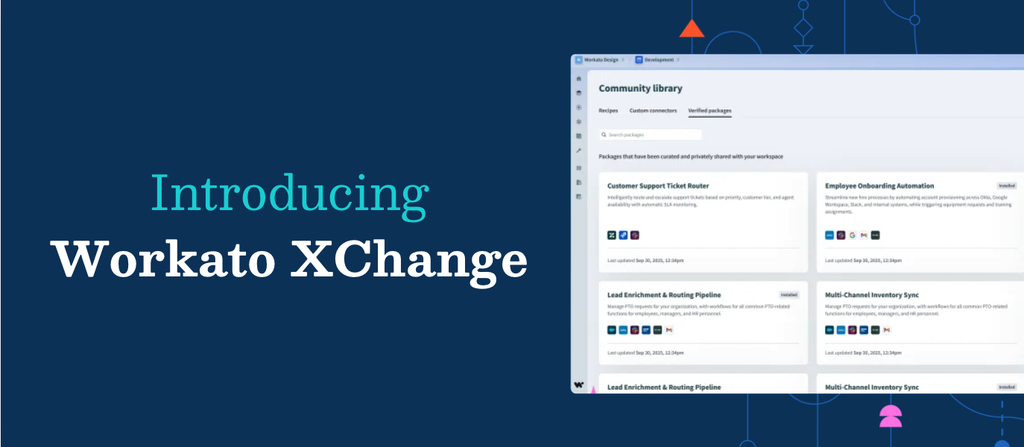
- Publish it to a private community, where Consumers in tenant workspaces browse the Verified Packages tab and install on their own timeline. A platform team supporting dozens of business units can publish once and let each unit install on its own schedule, fully governed.
- Share it via link or .zip file, for the moments when a package needs to reach a specific workspace quickly, or move between environments.
And because XChange comes with a full API surface, you can automate any of these flows, from packaging to distribution, and fold them into the pipelines your team already runs.


Stay in control as you distribute at scale
Getting a package into workspaces at scale is half of the job. Here’s how you stay in control once it’s out there:
- Nothing ships by accident. Every submission runs through the approval queue with reviewer notes, and every action, from creation to approval to distribution, is captured in audit logs.
- Build once, maintain centrally. When a Builder ships a new version, installed tenant workspaces are notified automatically and upgrade cleanly, so you’re not chasing down drift across hundreds of them.
- Full visibility. See which tenant workspaces are running which version and how they got it, whether from a direct push or a library install, so you always know what to build, update, or retire.
- Extend it when you’re ready. Authorize trusted tenant workspaces to build and submit their own packages back through the same Curator approval flow.
Get started with XChange
XChange is generally available for both Automation HQ and Embedded workspaces on eligible plan. Read the docs to explore what you can build, or contact your CSM to get it enabled for your workspace.