
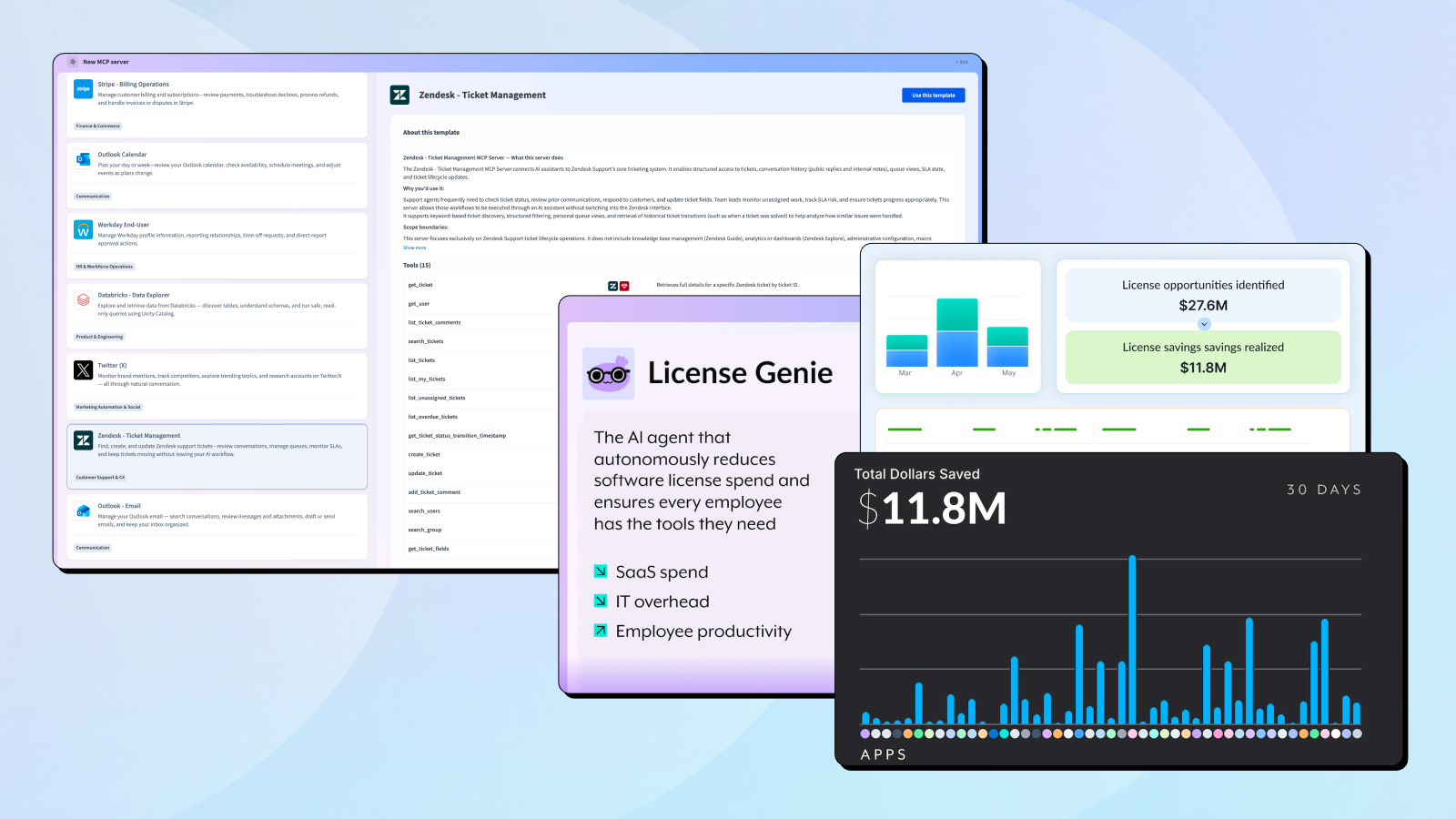
March was a big month for observability, business rules, and AI agent connectivity. We expanded Workato’s log streaming capabilities, brought Decision Models to all customers, and released a new Genie for software license optimization. The MCP server catalog also continued to grow, with eight new pre-built servers spanning calendar management, HR, data, social media, and customer support.
MCP Gateway
New Pre-Built MCP Servers
Available Now
All pre-built MCP servers are accessible from the AI Hub in your Workato workspace under MCP Servers. Select “Create an MCP Server,” then choose a template to get started. Each server supports Verified User Access, ensuring AI agents act on behalf of authenticated, authorized users.
Why this matters: Pre-built MCP servers reduce the time to connect AI agents to enterprise systems from weeks to minutes. Each server comes ready to use with no custom build required, and every action an agent takes is governed through Workato’s role-based access controls and audit trails, keeping your AI workflows secure and traceable.
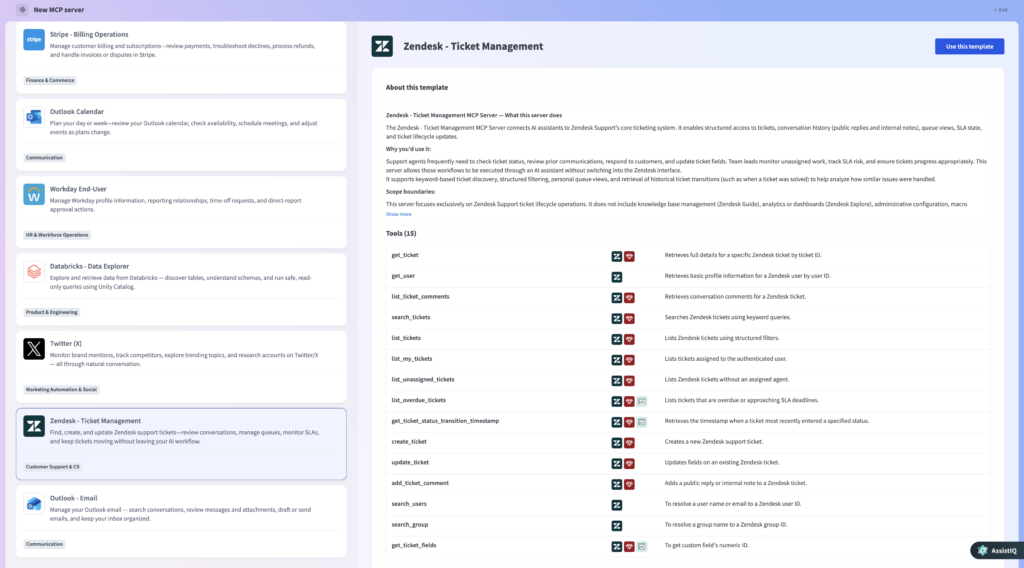
New MCP Servers:
- Outlook Calendar: Plan your day or week. Review your calendar, check availability, schedule meetings, and adjust events as plans change.
- Zoom Meetings: Review and manage Zoom meetings. Find past meetings, access recordings or transcripts, verify attendance, and create or update meetings as needed.
- Workday End User: Manage your Workday profile information, time-off requests, and direct-report approval actions.
- Databricks Data Explorer: Explore and retrieve data from Databricks. Discover tables, understand schemas, and run safe, read-only queries using Unity Catalog.
- X Social Listening and Research: Monitor brand mentions, track campaigns, and compare metrics.
- Outlook Email: Manage your Outlook email. Search conversations, review messages and attachments, draft or send emails, and keep your inbox organized.
- Zendesk Ticket Management: Find, create, and update Zendesk support tickets. Review conversations, manage queues, monitor SLAs, and keep tickets moving without leaving your workflow.
- Outreach Sales Engagement: Build sequences, manage prospects and accounts, and review activity
These join the growing catalog of pre-built servers released in prior months, including Google Calendar, Slack, Gmail, Google Drive, Salesforce, Gong, Jira, Confluence, Airtable, Namely, and more. Check out our MCP Monday blogs in the Product Hub.
Workato Genies
Reduce Software Spend with Always-On License Optimization
Available Now
Organizations spend heavily on software. Licenses are often over-assigned, left unused, or provisioned at higher tiers than users actually need, quietly creating unnecessary costs. This waste goes unaddressed until an audit or renewal cycle forces a manual, reactive cleanup.
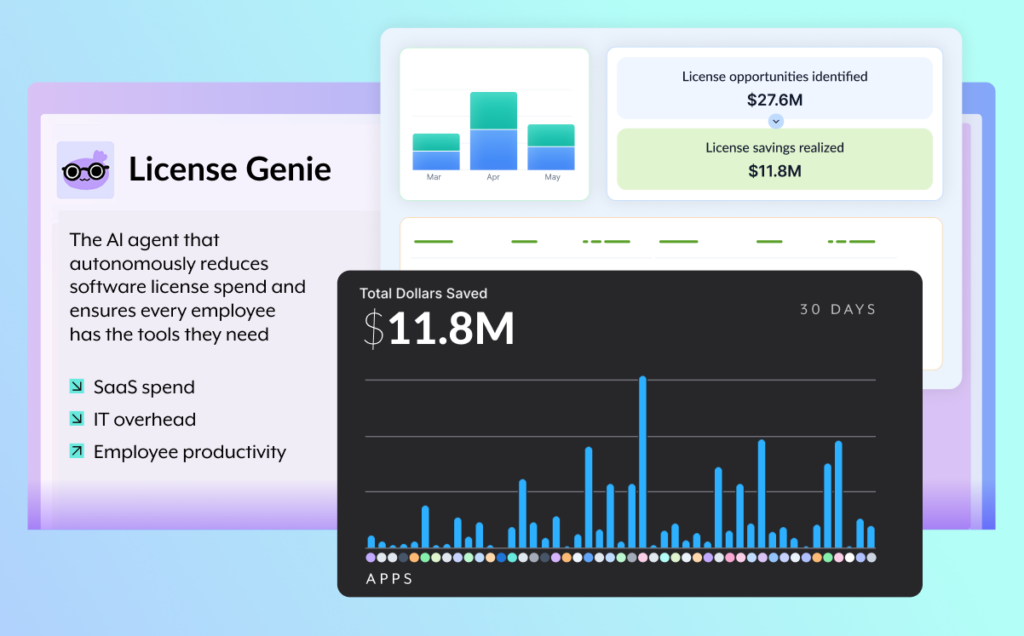
License Genie is a pre-packaged AI agent that continuously identifies underused licenses, engages with employees to find the most cost-effective solution, and executes approved changes to reduce software waste and keep teams productive.
What you can do:
- Identify optimization opportunities: License Genie identifies which users haven’t logged into an application within a defined timeframe and which applications have the most inactive seats to surface candidates for license removal or right-sizing.
- Engage and recommend: License Genie works with employees to understand their needs and recommends the most cost-effective solution, alternative app, or lower-cost tier before acting.
- Govern and approve changes: Route license optimization decisions through configurable approval workflows directed to users, managers, or application admins, with automated follow-through if no response is received. Approval outcomes and rejection reasons are recorded for auditability.
- Execute and track outcomes: Once approvals are complete, the Genie deprovisions or right-sizes licenses automatically. Track what has been completed, what is pending, and what remains blocked.
- Report on impact: Ask the Genie how much your organization has saved from license optimization, which applications delivered the most savings, or get an overview using the live dashboard. Savings data is exportable to external BI tools for reporting.
Why this matters: License optimization has historically been manual, infrequent, and reactive. License Genie makes it a continuous practice by finding and acting on license optimization 24/7. IT and Business Technology teams are freed from repetitive work to focus on higher-value initiatives. Finance and leadership can report on ROI at any time without manual effort, and every employee gets the right license at the right tier, keeping teams productive without overspending.
See why license optimization is becoming a strategic priority in “The Problem with Software License Optimization (And How to Fix It)” or read “Meet License Genie: The AI Agent for Software License Optimization” to learn more about License Genie specifically.
Security & Operations
Stream More Workato Logs to External Platforms
Available Now
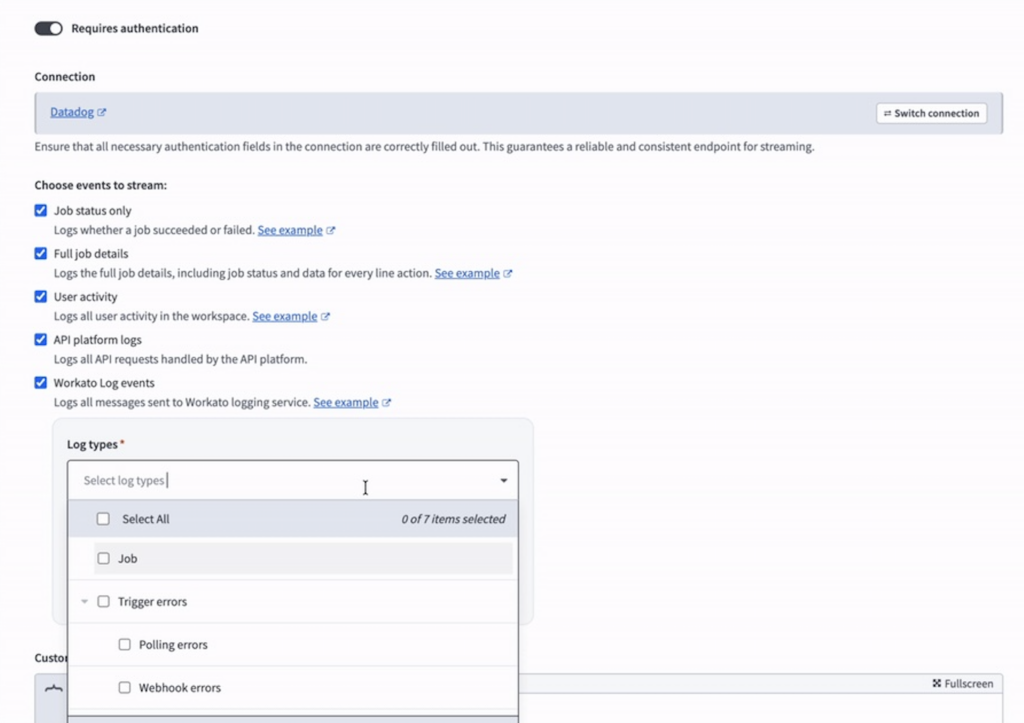
Workato’s log streaming capabilities have expanded to include OPA events, trigger errors, data pipeline logs, and MCP activity. These logs can be sent to AWS S3, Splunk, Datadog, Azure Monitor, Azure Blob, and more.
Filter by log level, including INFO, WARN, ERROR, and DEBUG, and by event source, including Job, Trigger errors, MCP Server, On-prem agent, and Data pipelines. Stream only what you need. For example, send only ERROR-level trigger and MCP events to your Security Information and Event Management (SIEM) platform for alerting and incident response.
What you can do:
- Select logging service events as a source when configuring log streaming in your workspace settings.
- Filter by log level, including INFO, WARN, and ERROR.
- Filter by event source, including Job, Trigger errors, MCP Server, OPA, and Data pipelines.
- Stream only the events that matter. For example, configure streaming for ERROR-level logs only, or send all logs to your observability platform.
Why this matters: This is especially helpful for teams managing multiple workspaces, needing real-time visibility into recipe failures, trigger errors, and platform events.
OPA 31.1 Released
Available Now
What’s new in the latest On-Prem Agent release:
- Database: Improved asynchronous task management.
- Oracle: Maximum BLOB size increased to 50MB.
- On-premise files: Improved timeout handling for list file operations.
Google Secret Manager Now Supported
Available Now
Workato now supports Google Secret Manager, joining AWS Secrets Manager and HashiCorp Vault as supported secrets management providers. Customers can now reference secrets stored in Google Secret Manager directly in their Workato connection configurations, without hardcoding credentials.
Why this matters: Teams running on Google Cloud Platform (GCP) can now manage all credentials centrally in Google Secret Manager and reference them securely in Workato without duplicating or storing secrets outside their GCP environment.
Platform
Decision Models are Now Available for all Customers
Available Now
Decision Models are officially available to all workspaces. Decision Models are a business rules asset type, using industry-standard Decision Tables.
What you can do:
- Define rules as Decision Tables in a clear, tabular format. Results return as data pills for use in downstream steps.
- Build Decision Models as a standalone asset and invoke them from a recipe or skill.
- Chain multiple Decision Tables together on a canvas with conditional branches to handle complex logic without nested IF/ELSE conditions.
- Update business rules independently of recipe logic, so your recipes don’t require manual updates.
Why this matters: Complex conditional logic has historically been embedded inside recipes as nested IF/ELSE conditions. This approach is difficult to read, hard to maintain, and may be inaccessible to business users who set the underlying rules. Decision Models separate business logic from integration logic. The result is workflows that are faster to build, simpler to maintain, and safer to change, even as business rules evolve over time.
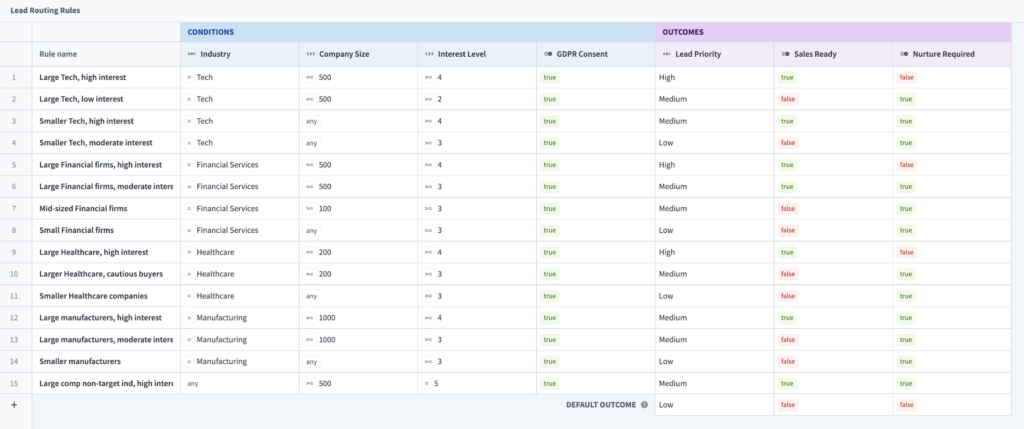
Use cases: Lead scoring and routing, shipping cost calculation, ticket classification and routing, and any workflow with large numbers of conditional rules.
Broader Language Support and Improved Usability for Global Teams
Available Now
This month we made several improvements that make language selection more accessible.
What’s new:
- A language toggle is now available on the sign-in page and Community Library, as well as on the Low-Code Workflow Apps sign-in page.
- A new banner appears when a user’s profile language differs from the language selected on the sign-in page or set in their browser. The banner lets users switch languages with a single click.
- The “Date format” field in user settings has been replaced with a “Region” field that provides more precise control over date and number formatting.
- Fonts for Japanese, Korean, and Chinese have been updated to better support characters.
Connectivity
More connectors!
As always, check out the community connector and platform connector blogs in the Product Hub.
Stay Tuned for April
We hope you found this month’s updates useful and continue to discover new ways to Workato. To read about updates as they are released, check out our Changelog.