
Replicate SAP data to Snowflake, Databricks, or BigQuery without writing ABAP or running a separate ETL project.
SAP holds the master and transactional data behind most reporting and AI efforts. Consolidated financial reporting, spend analysis, inventory planning, and sales dashboards all depend on SAP data being in the warehouse on a schedule. Today that usually means a custom ABAP extract, a separate ETL tool, or a project on the SAP side, and each of those puts a queue of requests between a business question and an answer. Teams that want to move off an older BW-based setup face the same work again, with the added risk of a long migration.
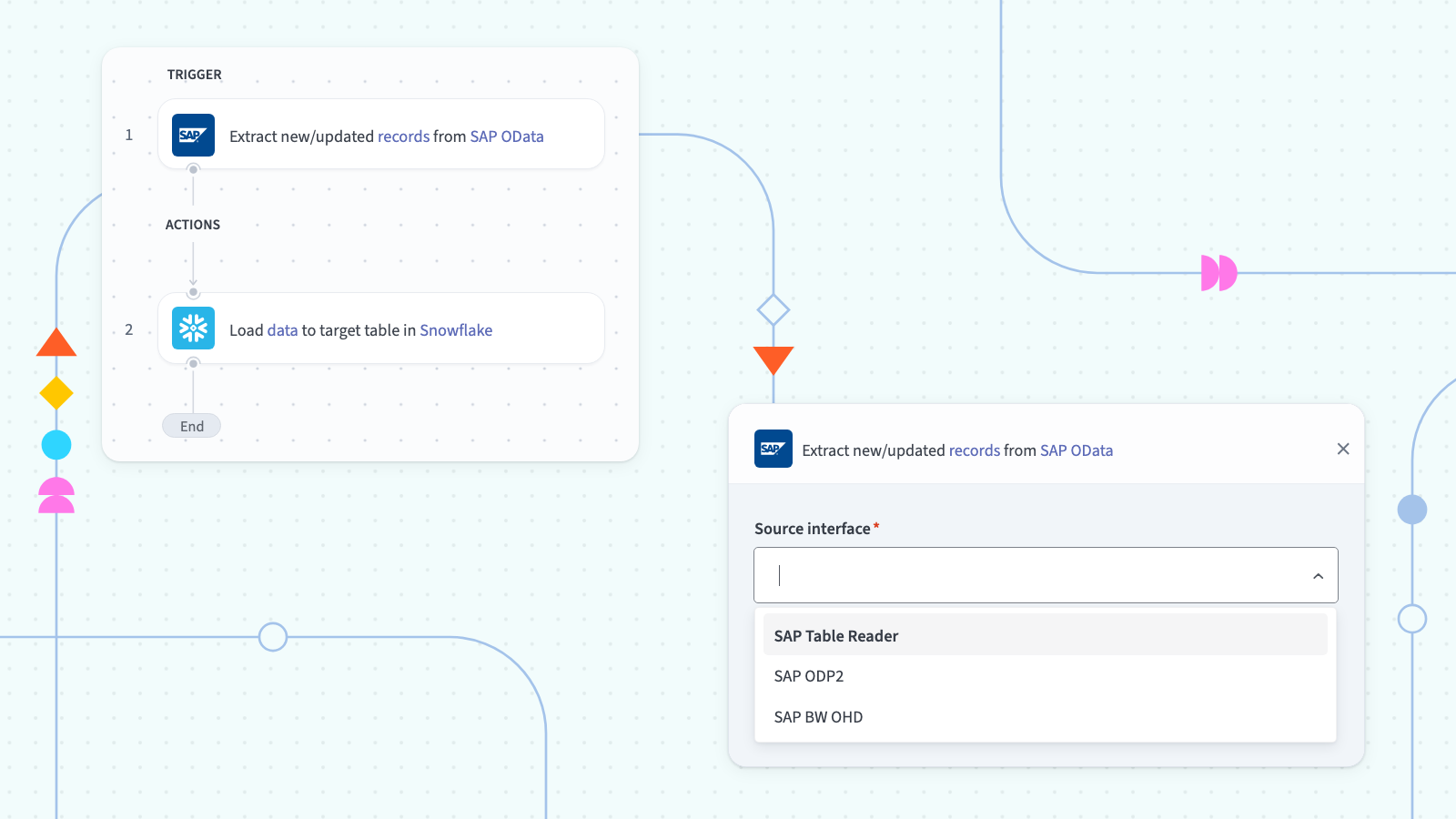
With Workato, Data Pipelines can now read directly from SAP. The SAP Data Agent adds three sources that cover the main ways data leaves SAP:
- SAP Table Reader for direct table access
- SAP ODP for SAP’s standard extraction framework with full and incremental loads
- SAP BW Open Hub for data that is already modeled in BW
You pick the sources and fields in Workato and schedule the pipeline, and the data lands in your warehouse or lakehouse, including Snowflake, Databricks, and BigQuery. It works for teams on ECC, S/4HANA, and BW.
What’s new
- Three SAP sources in a pipeline experience. Use SAP Table Reader to read Transparent tables, Pool tables, Cluster tables, Traditional database views, and CDS views without parameters, SAP ODP for bulk extraction from ABAP Core Data Services (ABAP_CDS), DataSources/Extractors (SAPI), HANA Information Views (HANA) and SAP NetWeaver Business Warehouse (BW), SAP BW OHD for extracting data from BW Open Hub destinations as a Database table, supporting the following object types: DataSource, DataStore object (advanced), DataStore object (classic), InfoObject, InfoCube, MultiProvider, Semantically Partitioned Object, and Query.
- Full and incremental loads. ODP and BW Open Hub support delta loads, so each run brings in what changed instead of pulling full tables again. Table Reader does full loads, which suits custom tables and one-time historical loads.
- No custom ABAP. You import a ready-made SAP package from Workato and configure everything else in Workato.
- No-code setup. Select sources, preview schemas, choose fields, and set a schedule without writing code.
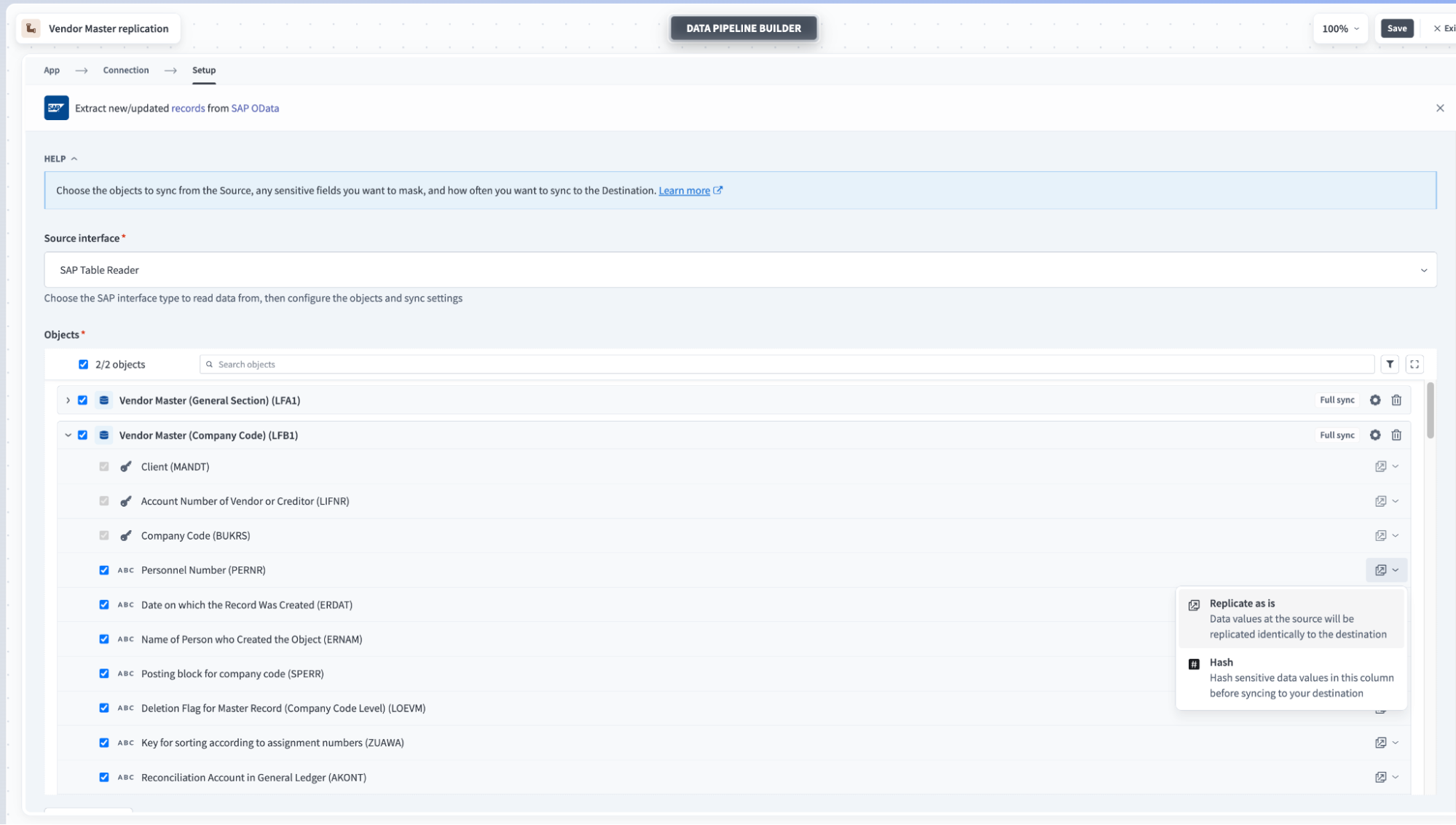
- Built for large tables and changing schemas. Pipelines fetch in parallel and let you choose fields and hash sensitive ones. When SAP adds a field, you can have the pipeline pick it up or block it to keep the schema fixed.
How it works
1. Prepare SAP. A SAP administrator imports the package Workato provides and sets up a dedicated communication user with the role that comes with it. If SAP isn’t reachable from the internet, you connect through an On-Prem Agent.
2. Create a connection. In Workato, create an SAP OData connection to the system.
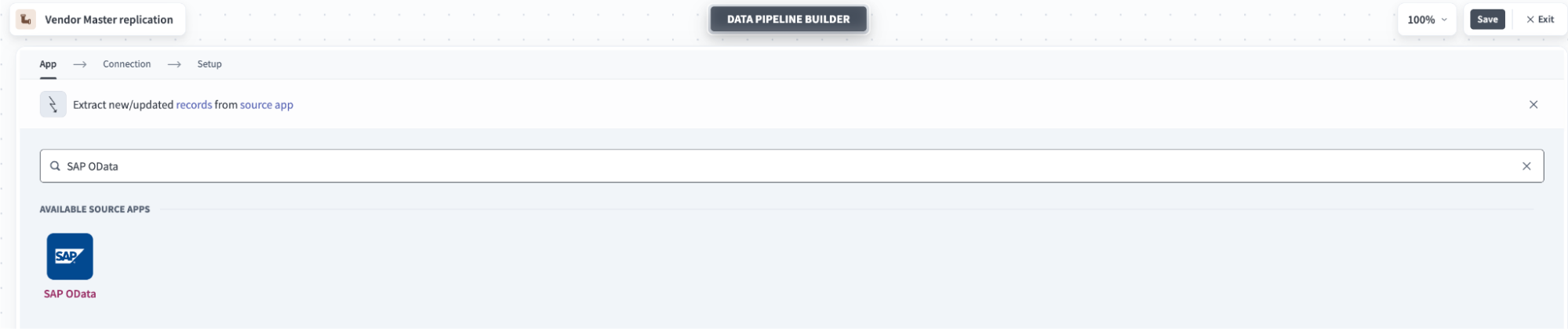
3. Create a pipeline. Choose the SAP OData source (Table Reader, ODP, or BW Open Hub) and select the tables or sources you want.
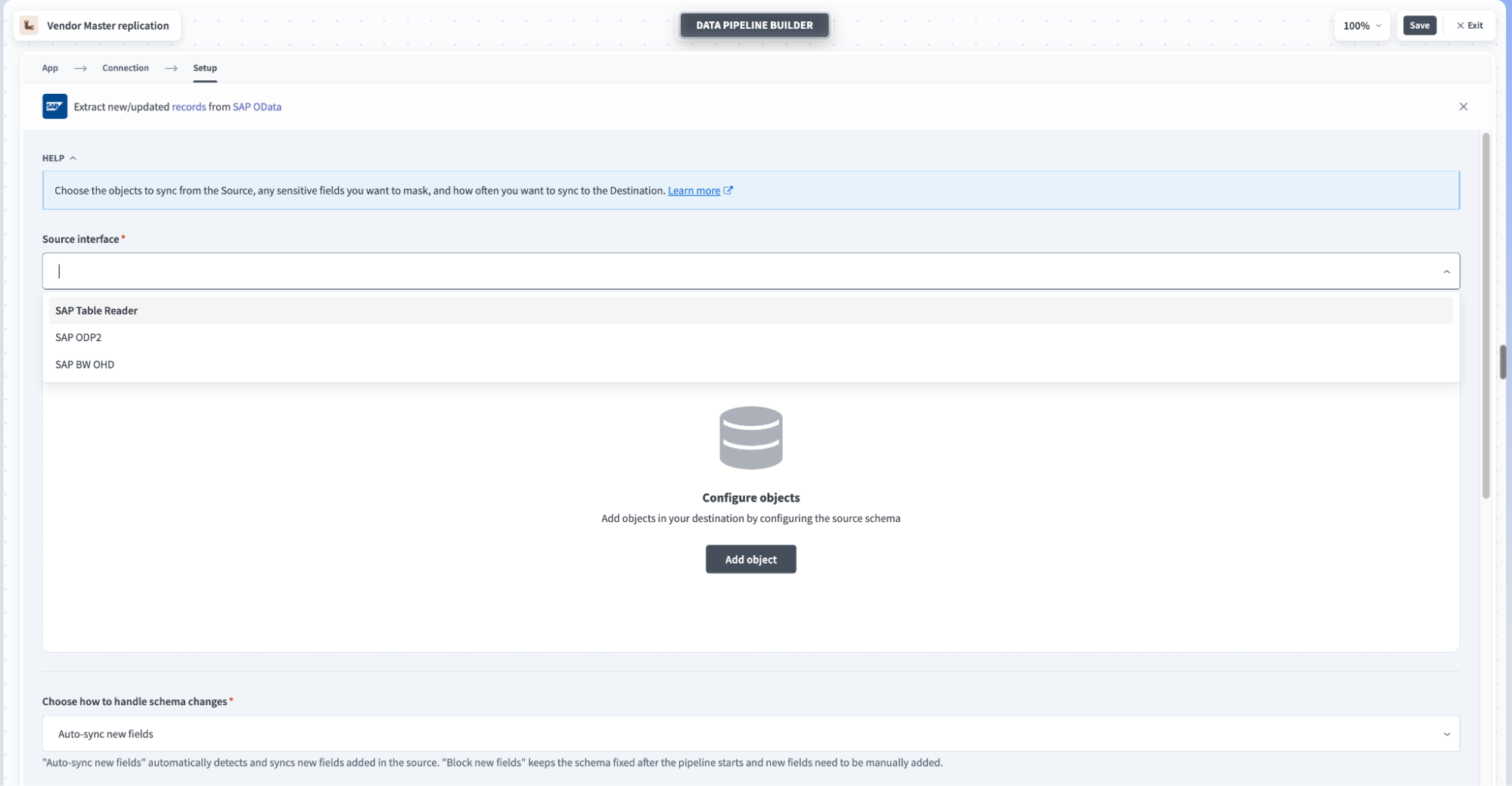
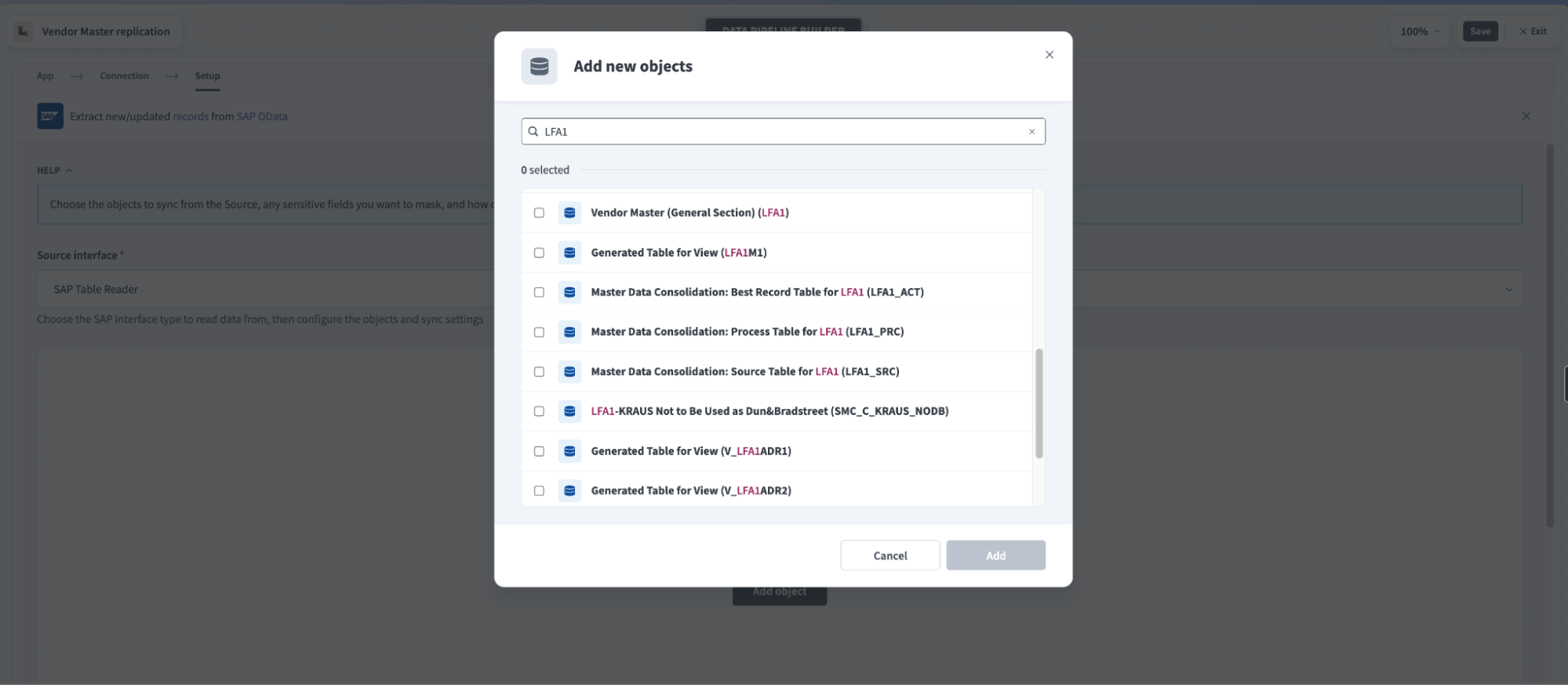
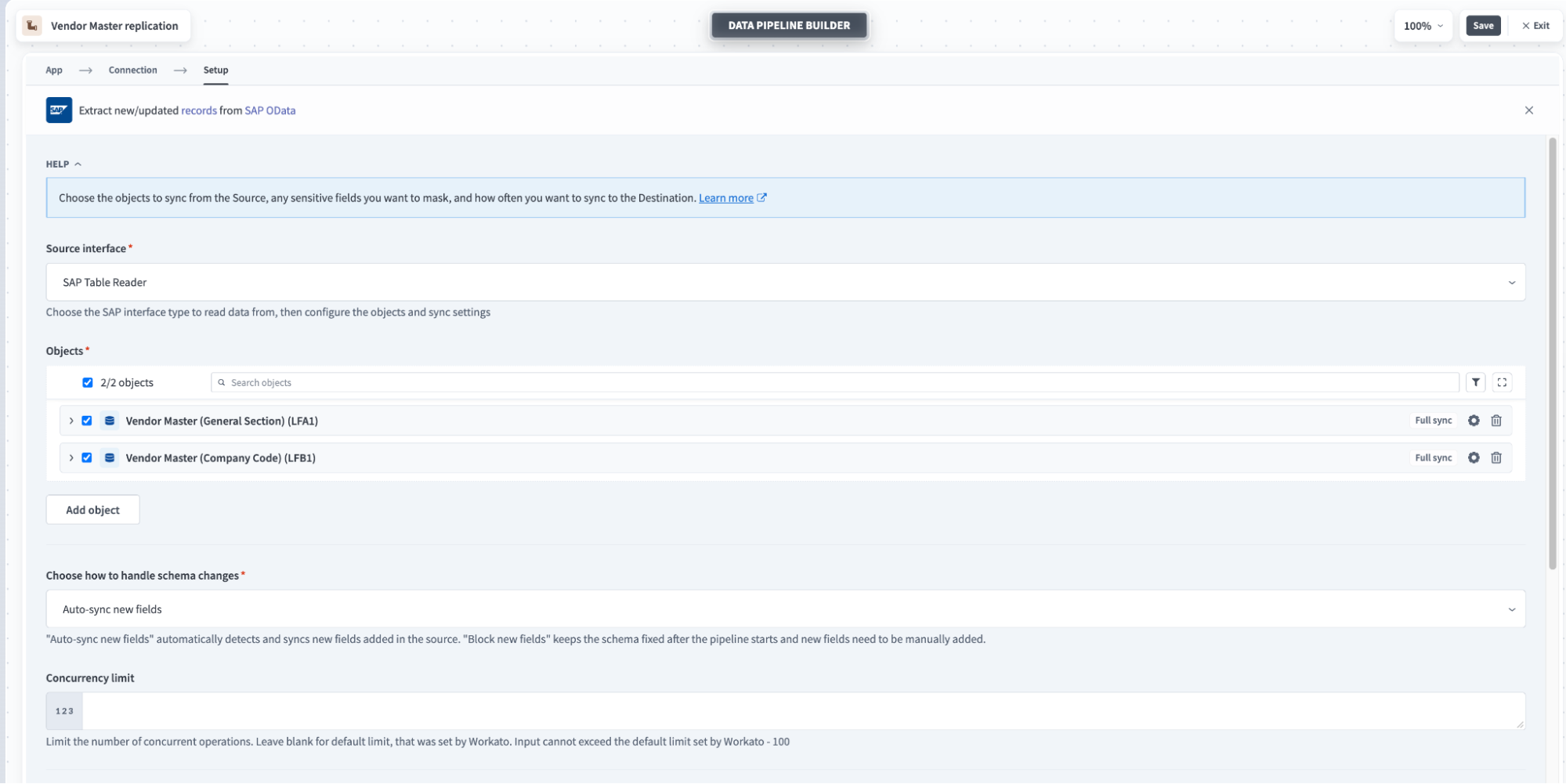
4. Define the schema. Fetch the schema, pick fields, optionally hash fields that hold sensitive data, and choose how schema changes are handled.
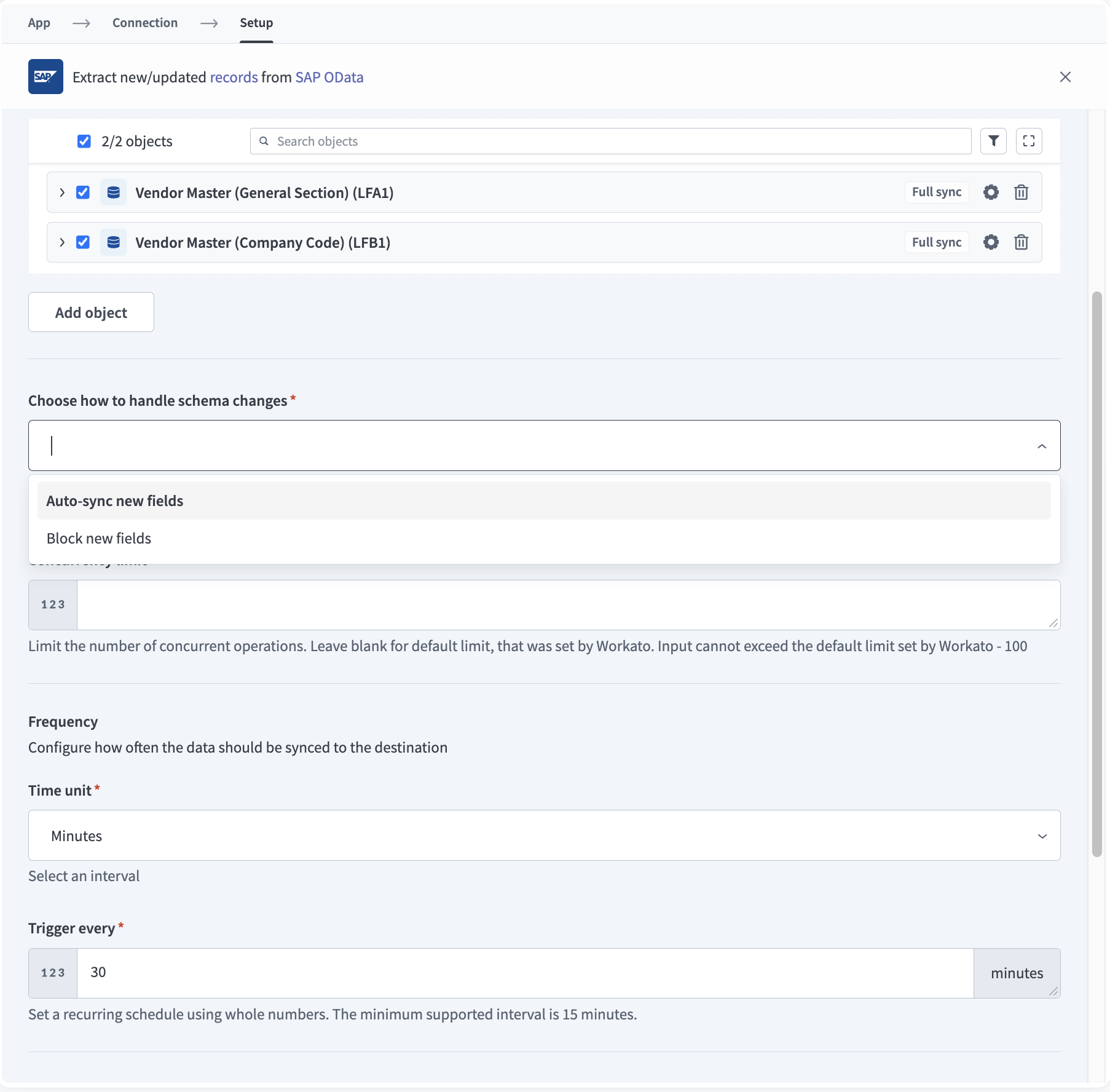
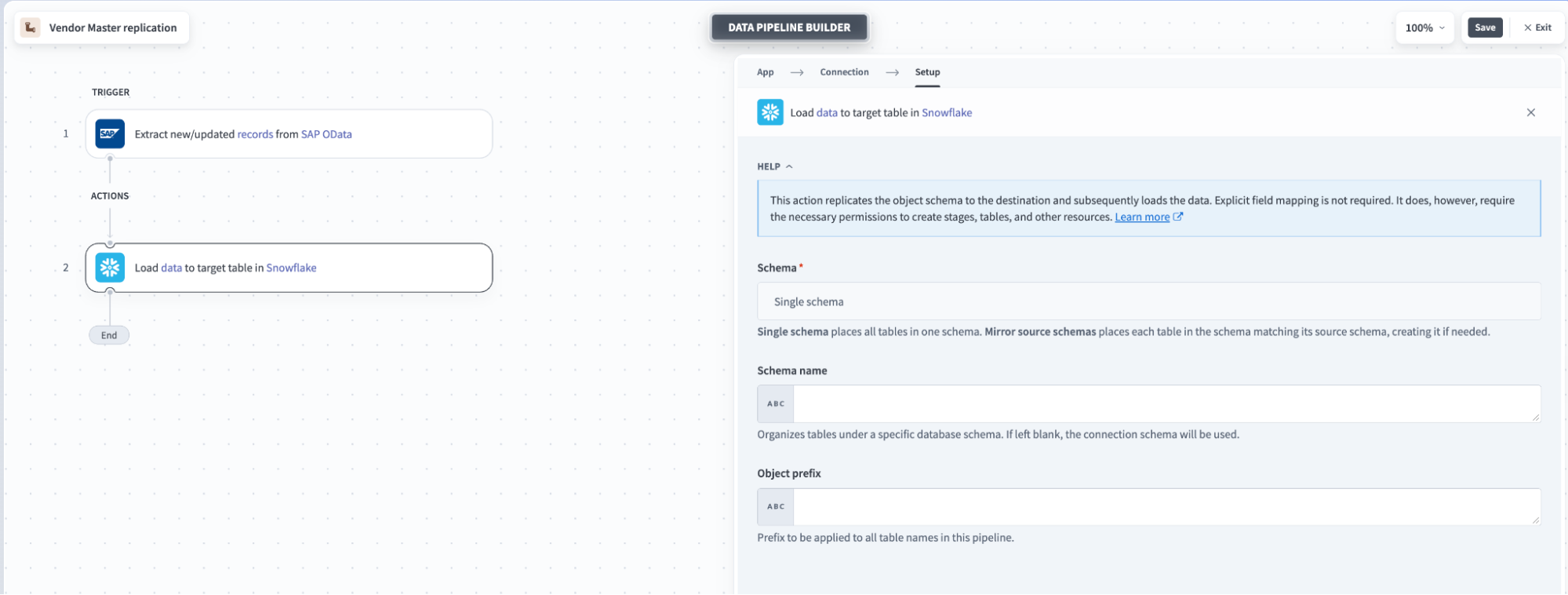
5. Set the destination and schedule. Choose Snowflake, Databricks, BigQuery, or another supported destination, set the schedule, and start the pipeline.
Getting finance data into the warehouse
A finance analytics lead is responsible for consolidated reporting across business units.
The Challenge: The numbers sit in SAP, and every new report means a request to the SAP team for another custom extract. By the time it arrives, the question has changed.
The Opportunity: With the SAP Data Agent, a data engineer sets up pipelines once: ODP for the finance data that changes daily, and Table Reader for a one-time load of historical records. The data lands in the warehouse on a schedule, and analysts build reports from it without waiting on SAP development.
The Result: New reporting questions are answered from data that is already in the warehouse.
Trust and control
- Least access. Workato connects with a dedicated SAP communication user and a role you control.
- Private systems stay private. If SAP isn’t reachable from the internet, the On-Prem Agent connects it without opening it up.
- Sensitive fields. Choose which fields to bring over and hash the ones that need protecting.
- Controlled schema. Decide whether new SAP fields flow through automatically or are blocked.
Availability and getting started
The SAP Data Agent is generally available. It supports ECC (NetWeaver 7.4 EHP7 and later), S/4HANA 1610 and later, BW 7.4 EHP7 and later, and BW/4HANA 2.0 SPS07 and later.
To start, ask your Workato account team for the SAP package, import it into SAP, and follow the setup guide for the source you want. Read the setup guide: SAP Table Reader, SAP ODP and SAP BW OHD for further information.