

April delivered enterprise-grade momentum across the platform. We launched a China Data Center, giving enterprises in-region data residency, and released the API Edge Gateway, which brings API management to your own infrastructure. Workato Identity now supports SCIM 2.0 inbound provisioning, removing manual user lifecycle management for enterprises using Okta, Entra ID, or Google Workspace. We also improved LLM model selection in Agent Studio, released enhancements to Knowledge Base Management, and added five more pre-built MCP servers including Microsoft Excel, OneDrive, Marketo, and Zendesk Knowledge Base.
API Management
API Edge Gateway: Run API Traffic Where Your Data Lives
Available Now
The API Edge Gateway is a Workato-managed gateway that runs inside your own infrastructure, on-premises or in a private cloud, while staying connected to Workato’s cloud control plane for configuration, monitoring, and alerting. It brings the full power of the Workato API platform to the edge of your network.
What you can do:
- Keep API traffic in your network: Sensitive data never leaves your private infrastructure, supporting strict compliance and data residency requirements.
- Reduce latency at the edge: Route requests locally.
- Manage Cloud and Edge from one workspace: Enforce consistent policies, authentication, quotas, and rate limits across both.
- Full observability: Monitor Edge Gateway connectivity status and traffic from the Workato interface, with RecipeOps alerts for connectivity loss or authentication failures.
- Run safely in disconnected mode: Fallback mode keeps the Edge Gateway running on cached configuration when temporarily disconnected from the control plane.
Read the new blog: “Introducing Workato’s API Edge Gateway“
Why this matters: Enterprises in regulated industries like finance, healthcare, and government, and those operating in hybrid or multi-cloud environments, no longer have to choose between modern API management and meeting compliance or data residency requirements. The Edge Gateway lets you keep API traffic and sensitive data inside your own network while managing both Cloud and Edge runtimes from the same workspace, with the same policies and observability.
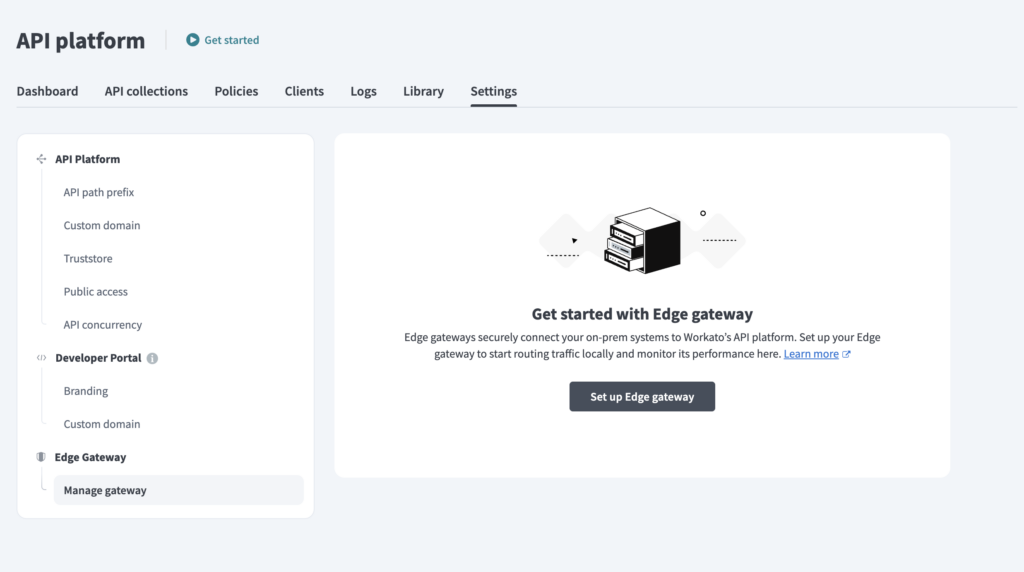
What’s included:
- Docker and Kubernetes deployment
- Support for Token, JWT, OIDC, OAuth, and mTLS authentication
- Quotas, rate limits, and concurrency limits
- Caching and request validation
- Integration with external secret managers
- Dashboards, logs, and log streaming via OpenTelemetry
- Telemetry streaming to Workato cloud
One Login for Every Developer with SSO
Available Now
The API Developer Portal now supports SAML-based Single Sign-On (SSO) for enterprise authentication. Configure your identity provider and internal developers get a secure, persistent login experience that meets your organization’s identity governance standards.
What you can do:
- Authenticate via SAML SSO: Supported identity providers include Okta, Microsoft Entra ID, and Google Workspace.
- Provision users automatically with JIT: New developers are provisioned on first login through SSO, with no manual invites required.
- Seamless IdP redirect flow: Users selecting “Login via SSO” are redirected to your identity provider, authenticated, and returned to the portal.
- Enforce centralized authentication policies: Apply MFA, conditional access, and session controls through your identity provider.
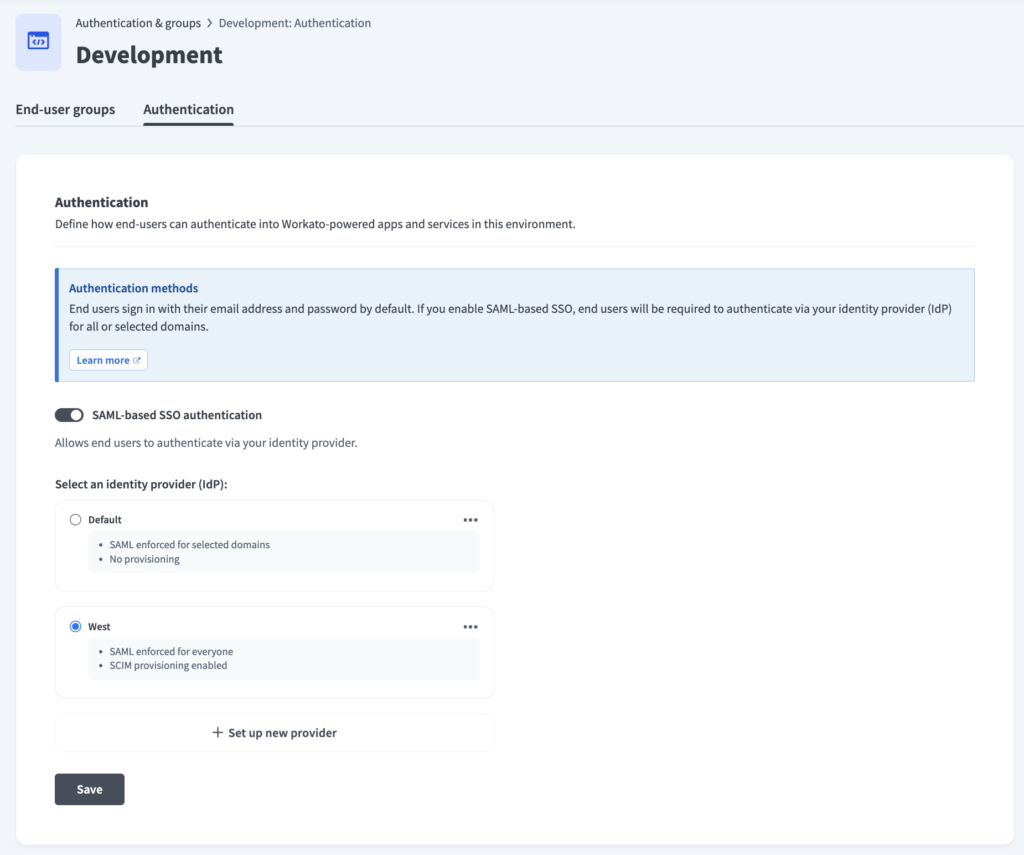
Why this matters: SSO brings the Developer Portal in line with how your organization already manages identity for other internal tools. Teams get centralized authentication, MFA, and faster onboarding through JIT provisioning, and developers get a persistent, password-less experience that replaces the previous Magic Link flow.
Contact your account team to get started with SSO for the developer portal.
Security & Operations
China Data Center Now Available
Available Now
The Workato China Data Center is now available, marking a major milestone in serving enterprises operating in China. Customers can run Workato in-region, with all data processed and stored exclusively within China.
Key highlights:
- Local hosting on AWS China: All customer data, including recipes, connections, shared assets, and job logs, is processed and stored exclusively within China.
- Enterprise-grade security and compliance: High-availability architecture, RBAC, SAML SSO, SCIM, Enterprise Key Management, data masking, and configurable retention, in a fully isolated regional deployment.
Note: Some features rely on AI model infrastructure that does not currently operate within the China region. Check with your account manager for full availability details.
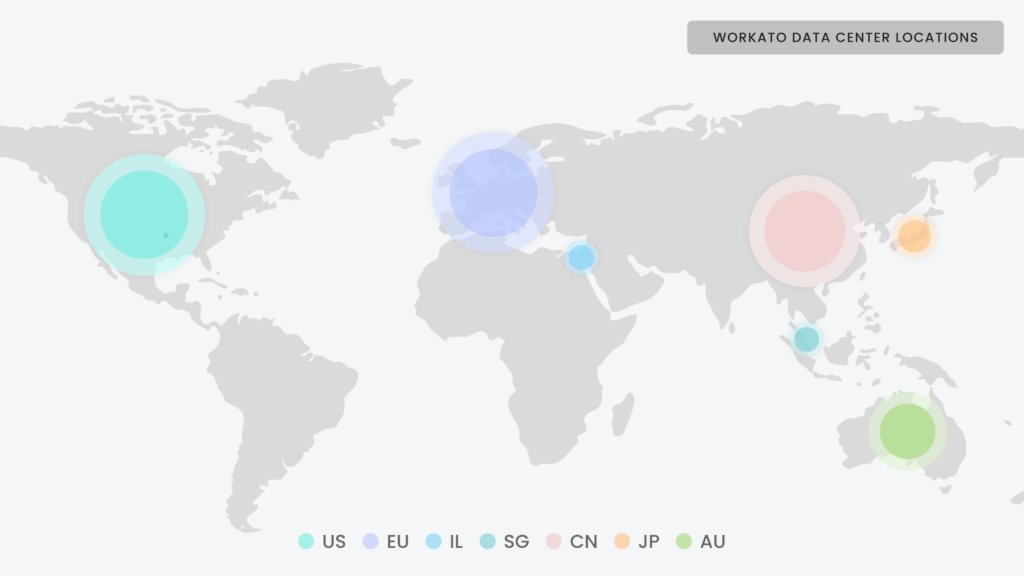
Why this matters: The China Data Center lets enterprises run Workato natively in-region, keeping all customer data within China.
Workato Identity: SCIM 2.0 Provisioning Support
Available Now
Workato Identity now supports SCIM 2.0 inbound provisioning for end-user management. Enterprise customers can automate user and group provisioning directly from their identity provider (IdP), eliminating manual user creation and offboarding gaps.
What you can do:
- Automated user and group sync: Provision users and groups from Okta, Microsoft Entra ID (Azure AD), or Google Workspace directly to Workato Identity.
- Multi-environment provisioning: A single SCIM connection syncs users and groups to all environments using that IdP.
- Instant offboarding: Deactivate users in your IdP and access is revoked across all linked environments automatically.
- Identity provider as source of truth: SCIM-managed entities are read-only in Workato, so there is no configuration drift.
- Group-based access control: IdP groups replicate to environments for seamless Genie, MCP server, and Workato GO permissions.
Why this matters: This SCIM 2.0 release makes your identity provider the single source of truth, automating onboarding and offboarding across every linked environment.
Agent Studio
Expanded LLM Model Support for Genies
Available Nowv
Agent Studio now gives builders full visibility and control over which LLM model powers each Genie. Choose specific versioned models, audit model changes, and rely on automatic migration when providers retire older models.
What you can do:
- Model selection: Choose specific models from Anthropic and OpenAI directly in Agent Studio, or bring your own.
- Latest model access: Take advantage of the newest model releases as they become available.
- Model audit logs: Track LLM model version changes and timestamps for each Genie, making it easier to correlate behavioral differences and troubleshoot.
- Auto-migration for deprecations: When LLM providers retire older models, legacy models automatically upgrade to a recommended replacement, preventing service disruption.
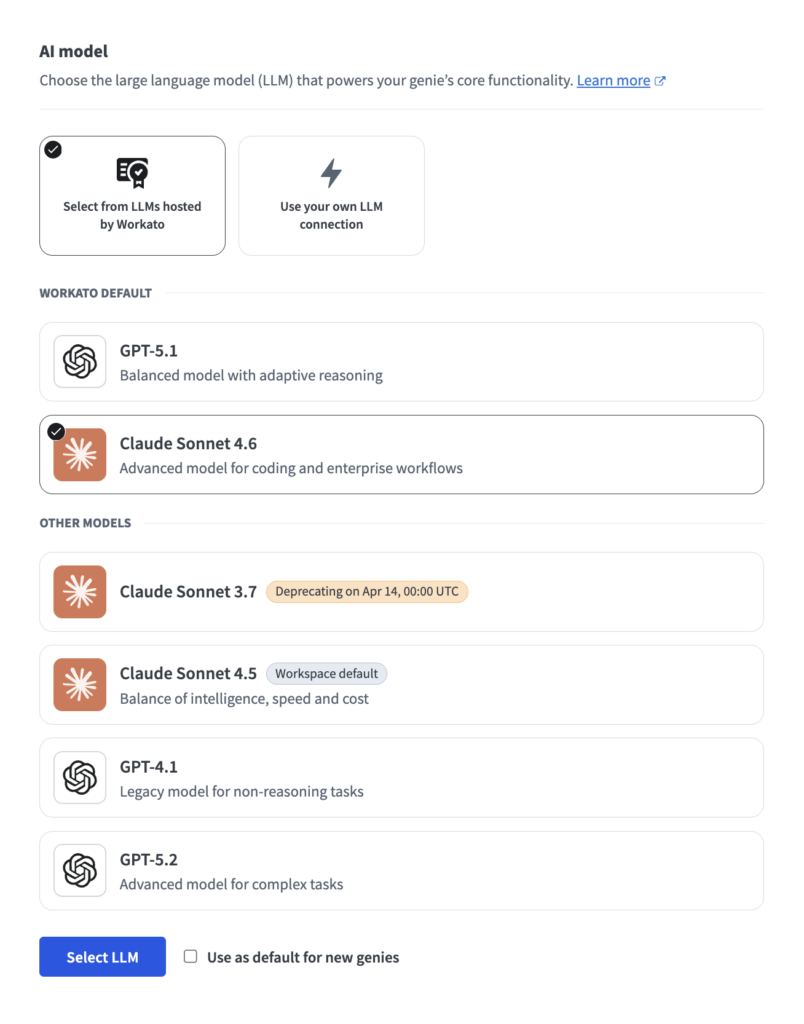
Why this matters: Builders gain precise control over the model behavior that powers each Genie. Genies keep running smoothly as model providers deprecate models, with no service disruption.
Knowledge Base Management Enhancements
Available Now
We released a set of improvements to Knowledge Base Management in Agent Studio that give builders deeper visibility into their knowledge base content and tighter control over uploads.
What’s new:
- Workato GO Data sources supported in Knowledge Base Management: View and search for specific documents ingested from Workato GO data sources. Access restrictions are applied based on data source permissions, so builders only see documents they have access to.
- Partial search on the Knowledge Base Management table: Search for documents with partial matches, for example searching “Age” to find “Agent.”
- Total storage footprints for custom Knowledge Bases: View the cumulative storage footprint of a custom Knowledge Base based on total raw data ingested. This number may differ from upload size as footprints are based on the actual storage consumed once files are uploaded.
- Full list of recipes supplying a Knowledge Base: View every recipe feeding into a Knowledge Base directly on the side panel.
- Remove files from the upload modal: Builders can remove any file from the manual upload modal before confirming uploads.
- Validation to prevent duplicate uploads: Validation prevents the manual upload of identically named files within the same batch.
- Backfill for legacy documents: A hygiene update ensures that legacy documents uploaded before this release now reflect accurate storage footprint sizes.
Why this matters: As Knowledge Bases grow, builders need clearer visibility into what’s in them and how they’re used. These enhancements give you a complete view of every document, every recipe feeding the Knowledge Base, and the storage each one consumes.
MCP Gateway
New Pre-Built MCP Servers: Microsoft Excel, OneDrive, Marketo, and Zendesk
Available Now
We released another wave of pre-built MCP servers this month, giving AI agents the tools to take action across more of the systems your teams use every day. These servers are accessible from the AI Hub in your workspace under MCP Servers. Select “Create an MCP Server,” then choose a template to get started.
Productivity and Collaboration
- Microsoft Excel: Read, update, and manage Excel workbooks and data stored in Microsoft 365.
- Microsoft OneDrive: Find and work with OneDrive files. Search documents, review content, move or organize folders, manage sharing, and upload or save files.
Customer Support
- Zendesk Knowledge Base: Find, read, create drafts, and update Zendesk knowledge base articles. Explore content, and keep documentation up to date.
Marketing Operations
- Marketo Lead and Activity Ops: Find, create, and update Marketo leads, review activity history, manage list membership, and keep lead data accurate.
- Marketo Program Ops: Create and run Marketo marketing programs, set up campaigns, manage participants, and track performance.
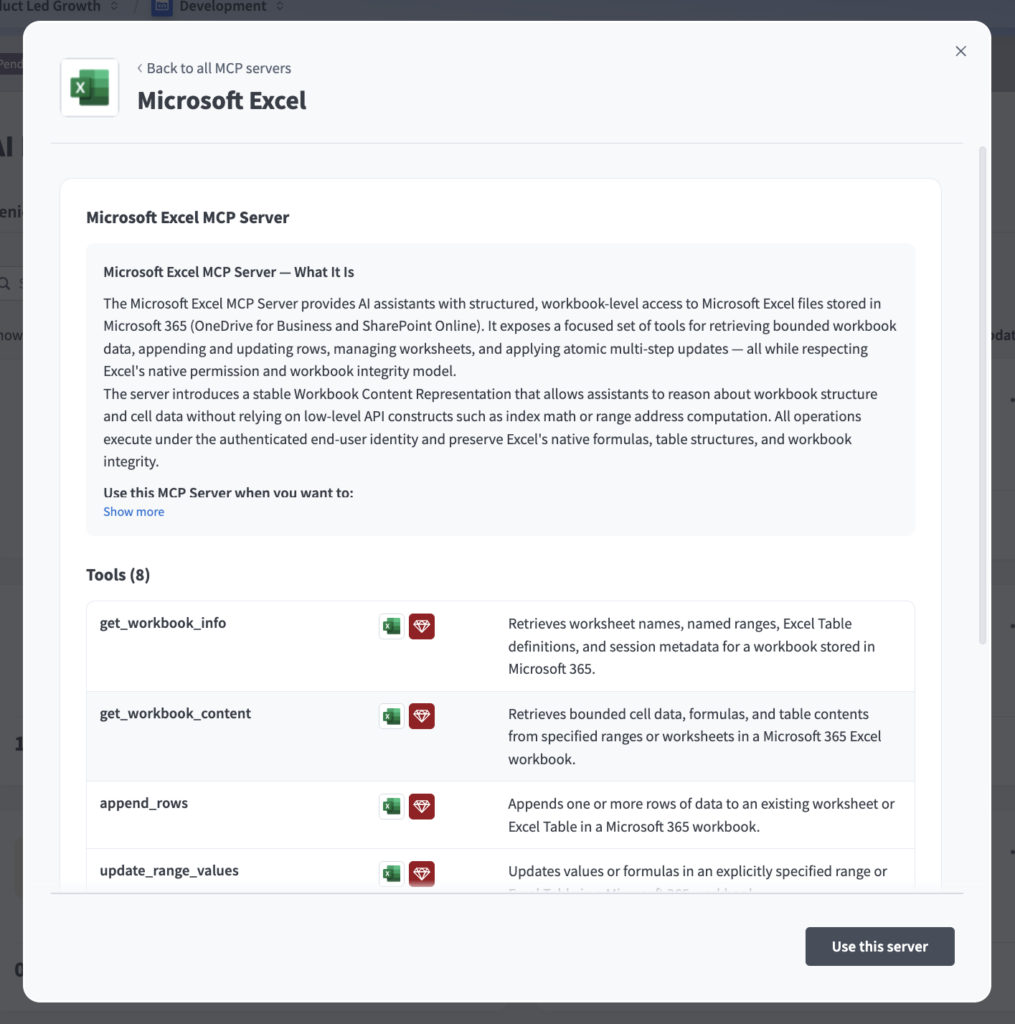
These join the previously released pre-built servers across Google Workspace, Slack, Gong, GitHub, Jira, Salesforce, Stripe, Shopify, Confluence, Airtable, Namely, and more.
Why this matters: Pre-built MCP servers reduce the time to connect AI agents to enterprise systems from weeks to minutes. Each server is governed through Workato’s role-based access control and audit trails, so every action an agent takes is secure, traceable, and aligned with your organization’s policies.
Read the new blog: “The Top 10 MCP Security Gaps CISOs Need to Know“
Connectivity
Connectivity Updates: New Connectors and Enhancements
Available Now
For the full list of new connectors and enhancements this month, check out the community connector and platform connector blogs in the Product Hub.
Stay Tuned for May
We hope you found this month’s updates valuable. To stay current as updates are released, visit our Changelog.