
OData is a web protocol designed for querying, creating & updating data utilizing HTTP. It allows for the creation of REST-based business data services, enabling operations such as create, read, update, and delete (CRUD). OData provides a standardized way to expose business data and logic, making it accessible for various applications and devices. It supports complex queries and modifications and is commonly used in conjunction with SAP applications to facilitate data exchange and enhance user experiences.
Integrating with SAP can often feel like solving a complex puzzle—particularly when managing high volumes of Create, Read, Update, and Delete (CRUD) operations. But now, with Workato’s enhanced SAP OData connector, things just got a lot easier.
Introducing Batch Request Support in Workato. Learn how to reduce costs, improve performance, and simplify your workflows—all while boosting enterprise-grade reliability.
🚀 Why This Matters
The SAP OData Batch Support capability is not just a technical upgrade—it’s a strategic enabler for efficiency and scale.
🔍 What is Batch CRUD?
Batch CRUD in Workato allows you to group multiple operations (Create, Read, Update, Delete) into a single HTTP (combining multiple OData calls into one using $batch with multipart/mixed format) requests to SAP. This drastically reduces the overhead and complexity of traditional API interactions.
Benefits
- 🔧 Simplified Setup – Eliminate the need for writing complex multipart/mixed payloads
- ✅ Reduced API Calls – Fewer HTTP requests = lower task usage in Workato and lower operational costs
- 🚀 No scripting. No guesswork. Just powerful, enterprise-ready integration!
Business use cases include the following cases which can be achieved within one action:
- Bulk Customer Sync from CRM to SAP – Creating new customer records, Updating existing customer master data, Deleting deprecated or merged records
- Vendor Master Onboarding from Procurement Systems – Create vendor profiles, Update tax/bank/contact details, Delete duplicate or invalid vendor records
🧩 How It Works
Workato’s SAP OData connector now features a “Batch request” action.

Batch request action
- Enter the service name for which you need to execute batch operation.
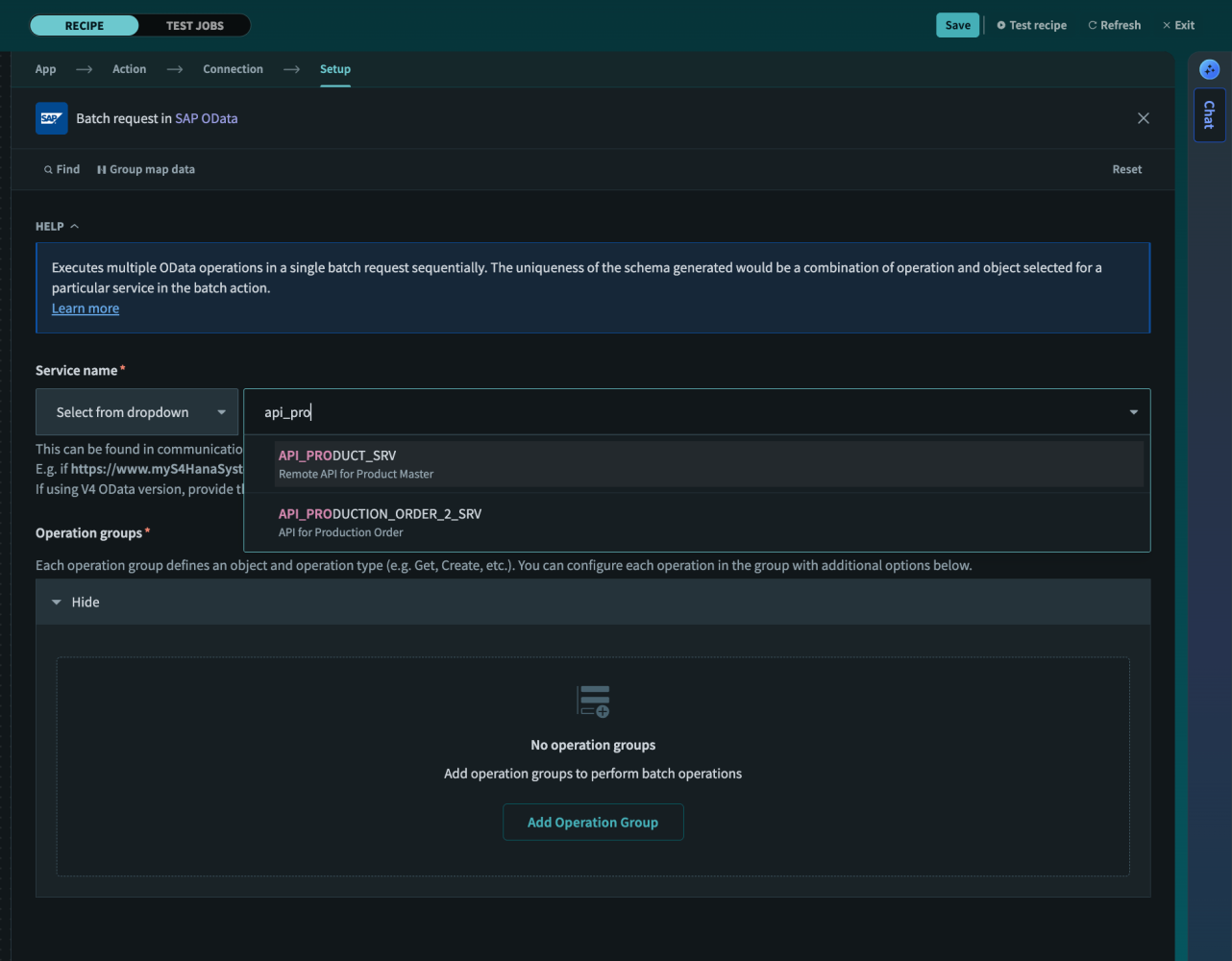
Select Service Name
- You can configure multiple “Operation groups”, each specifying:
-
- Operation type (e.g., Create, Update, Get)
- Object (e.g., Sales Order, Customer, Product, Business Partner)
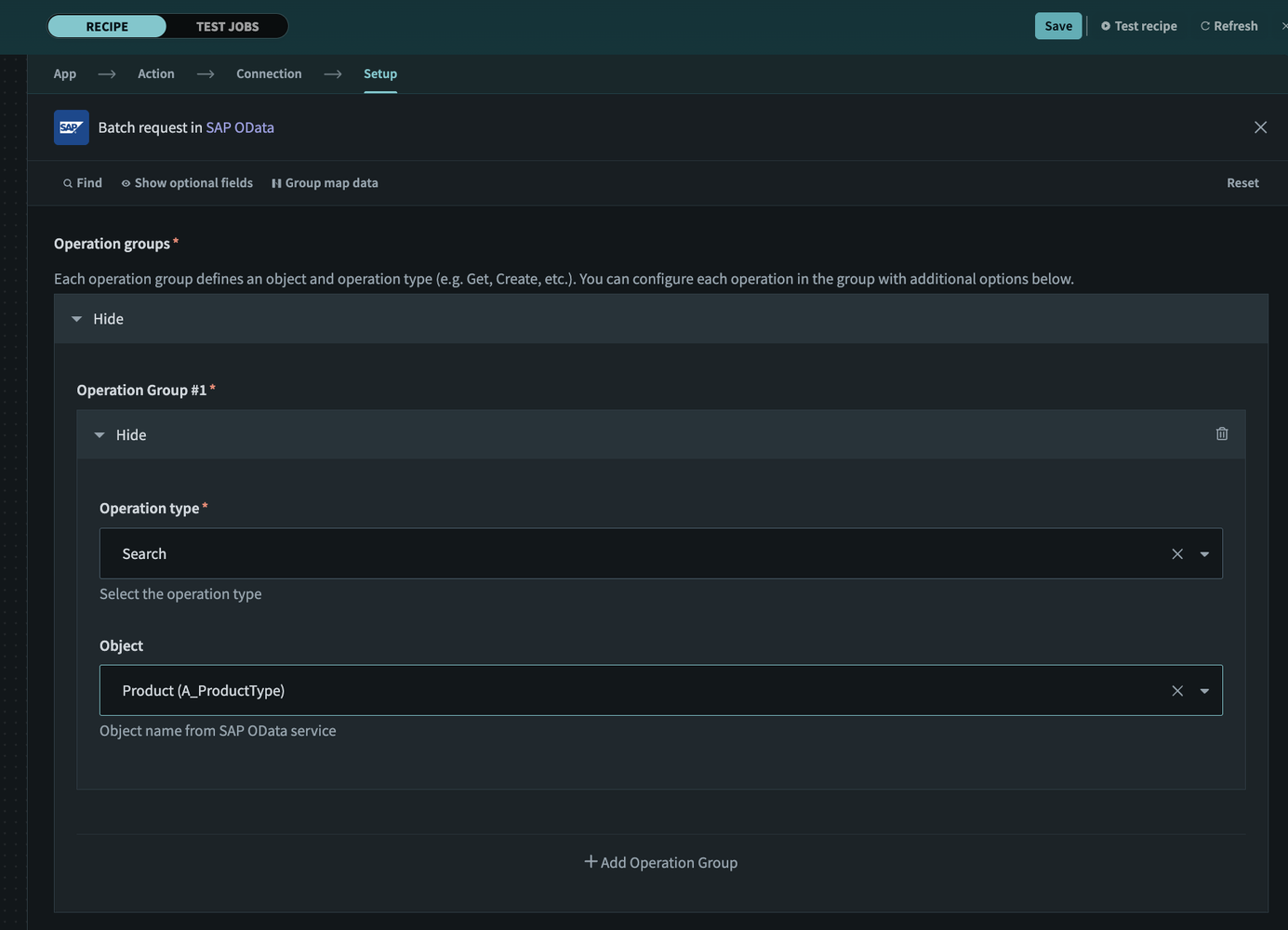
Maintain Operation Group
- Payload data for each operation—An extended schema is generated when an operation group is added. Click “Add operation” to maintain the payload for a particular operation group.

Add Operation
You can add multiple optional fields in the payload, based on the use case or requirement.
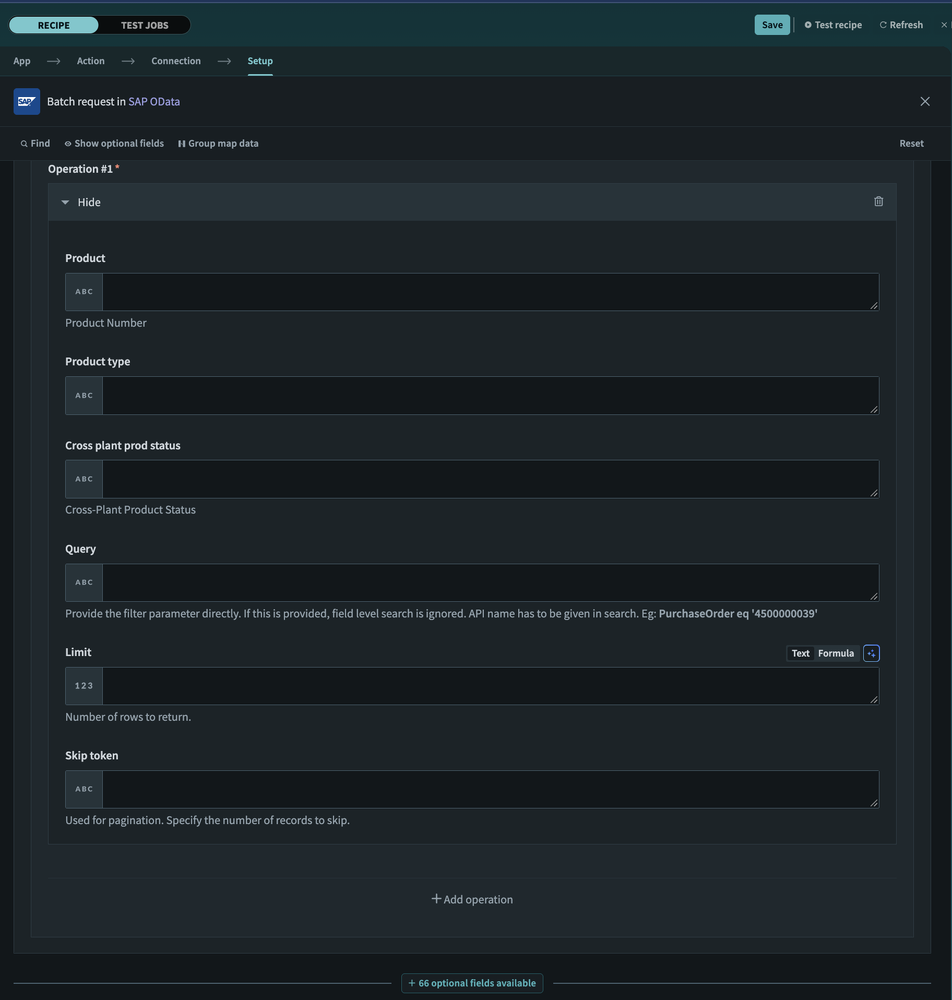
Maintain Fields
For every operation group, an extended schema gets generated where you can pass the payload.
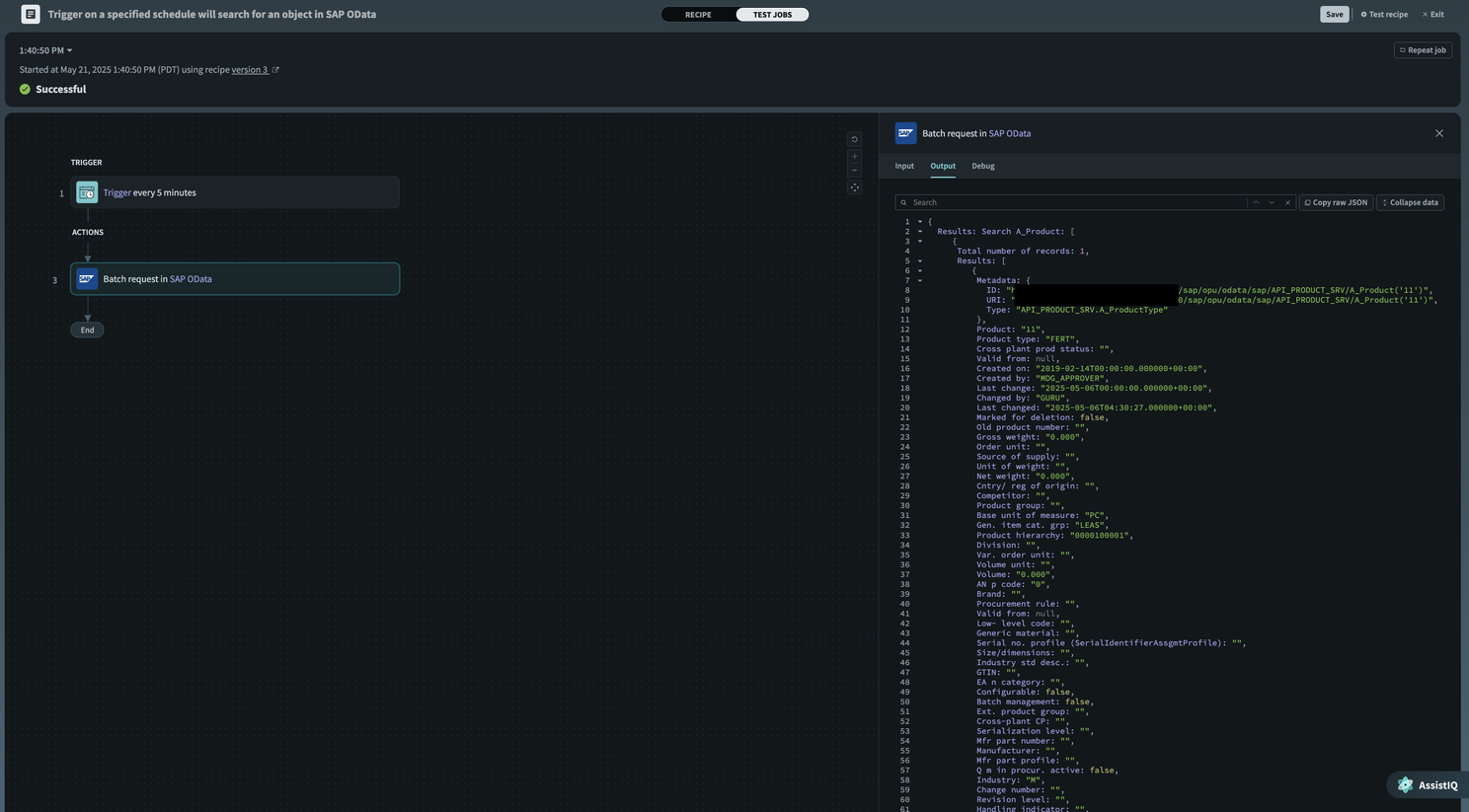
Sample response output
Known Limitations
- We can only have one operation group with a unique identifier as the combination of Operation type and Object.
- Currently, this action does not support atomic behavior (all or none).
What more can you do with the SAP OData connector?
- The SAP OData connector supports the following actions with OData v2 and v4: create an object, Update an object, Search an object, Delete an object, Insert an object, Get object details by ID, Extract bulk data and make a Batch request.
- Workato’s SAP OData connector allows you to connect to an on-premise SAP (SAP Business Suite applications, including SAP BW and SAP BW/4HANA, SAP S/4HANA), SAP S/4HANA Cloud, Private Edition, and the SAP S/4HANA Cloud, Public Edition instance.
We cut the cost down and make SAP integration fun – by increasing efficiency and empowering non-SAP business personas/process owners. Switch to Workato! 🔄
Explore our page: Workato/4SAP and SAP OData connector documentation.
View original post on LinkedIn.